What Is a Tactile Switch? Bumps, Sound, and How to Choose
Explore how a tactile switch creates its bump, how materials and lubrication shape sound and feel, and how to choose a tactile switch for your keyboard.
1. What is a tactile switch?
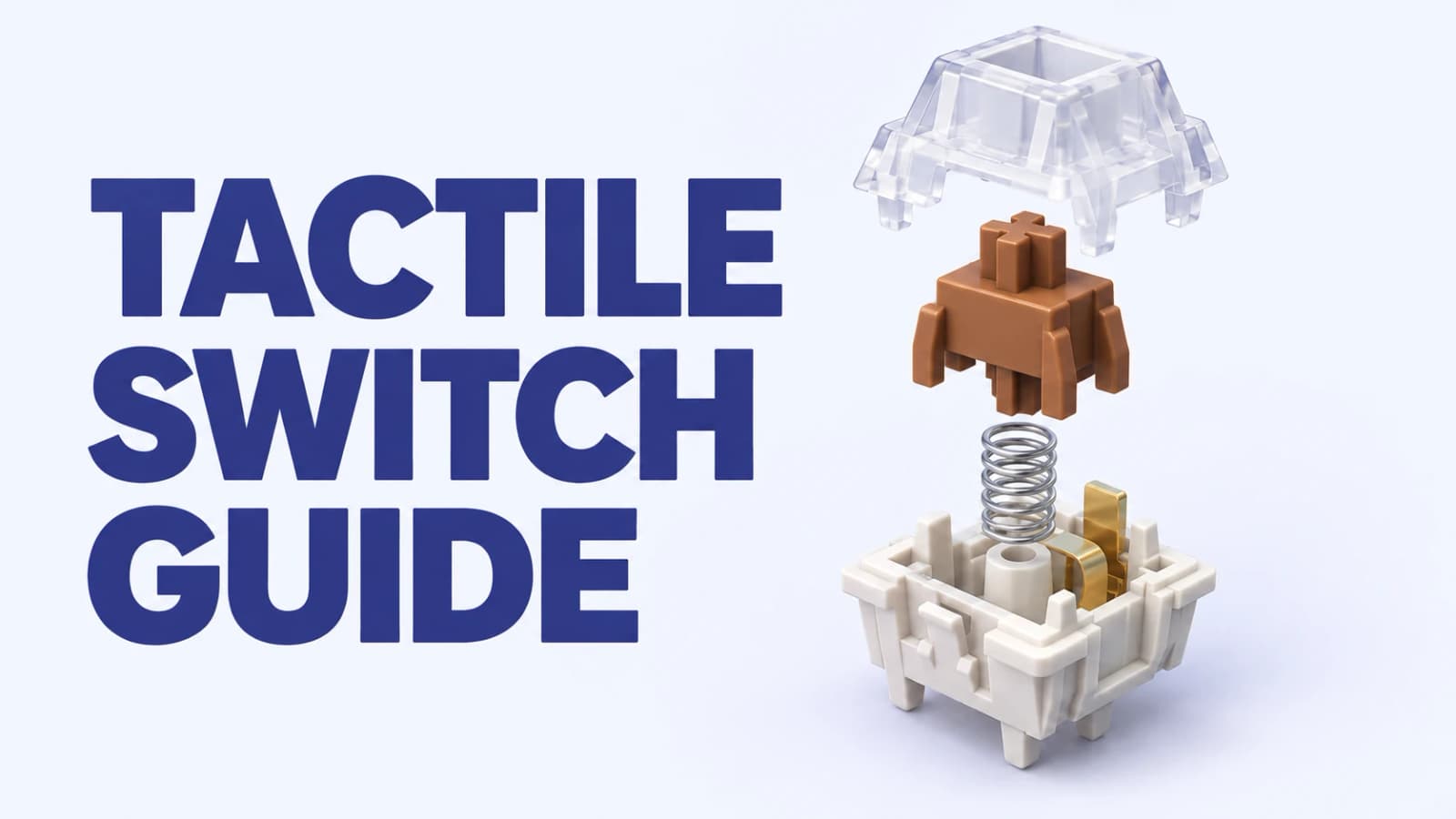
A tactile switch is a keyboard switch that gives your finger a deliberate bump during the keypress. Resistance builds, reaches a peak, and then drops as you move past the bump. That change lets you feel the stroke progressing, rather than relying only on the key reaching the bottom of its travel.
In a conventional MX-style mechanical tactile switch, shaped legs on the stem interact with a flexible metal contact leaf. The spring supplies return force, while the stem and leaf geometry create the tactile event. A tactile switch normally has no separate click mechanism, although bottom-out, top-out, and the moving parts can still make it clearly audible.
A tactile switch therefore differs from the uninterrupted stroke explained in our linear switch guide. Neither type is automatically better for typing or gaming. The useful question is whether you enjoy feedback under your fingers, and how much of that feedback feels comfortable during a longer session.
How a tactile switch creates a sharp, rounded, or light bump
The cam-like profile on a tactile switch stem is one part of the mechanism, rather than a standalone measure of strength. Its shape, the leaf’s response, the spring, friction, and lubrication all contribute. A taller-looking projection in a photograph does not prove that the complete switch will feel more tactile.
Bump strength describes how noticeable the change in resistance feels. Bump width describes how much of the stroke that change occupies. A short bump can feel sharp and quick; a broader, more rounded bump can feel gradual or cushion-like. A broad tactile switch bump can still be strong, so soft-edged and light are different descriptions.
A light tactile switch has a more restrained bump and can feel closer to a linear switch, while preserving some feedback. Also compare where the bump starts: immediate resistance feels different from a little movement before the bump. The tactile peak is not a universal marker of electrical actuation. Registration, the bump, and physical bottom-out need to be considered separately.
2. What changes a tactile switch’s sound?
A tactile switch’s sound comes from more than its bump. The stem and housings meet at bottom-out and top-out; the spring and leaf can add unwanted noise; sliding surfaces can add an audible scratch. Materials, contact geometry, and lubricant change the balance of those sounds, much as they do in a linear switch.
Thocky usually describes a deeper, fuller impression, while clacky suggests a sharper, more distinct impact. These are listening descriptions rather than standardized acoustic ratings. The case, plate, mounting, keycaps, desk, typing force, and recording setup also affect what you hear. Compare tactile switch recordings made under similar conditions, then test a sample in your own build.
2.1 Tactile switch materials and sound: a practical comparison
Read the stem, top housing, and bottom housing separately. A tactile switch advertised with a POM stem can still use PC above it and nylon below it. The table pairs common material names with actual tactile examples, then separates useful listening vocabulary from promises a material specification cannot make.
| Material family | Where it appears: tactile example | Sound tendencies and limits |
|---|---|---|
| POM · polyoxymethylene | HMX Valerian Light Tactile uses POM for the stem and top housing. | Often chosen for sliding performance. This model’s designer aims for a full, clacky sound with some texture; POM does not guarantee a muted result. |
| Nylon / PA · including PA12 | HMX Saru V2 pairs a PA12 top with a PA2 nylon bottom and modified POM stem. | Nylon is often associated with fuller or softer sounds, but Saru V2 is described as balanced and clacky. Different grades and blends are not interchangeable. |
| PC · polycarbonate | Wingtree Yunie and Qingyan use PC top and bottom housings. | Often associated with a brighter, crisper impression. The seller describes Yunie as clacky and Qingyan as thocky despite their shared headline housing material. |
| UPE · polyethylene-based stem materials | Wingtree Yunie and Qingyan both pair a UPE stem with PC housings. | Often sought for smooth sliding and sometimes associated with a subdued sound. These two contrasting examples show why UPE is not a guaranteed deep-sound recipe. |
| POK · polyketone | HMX Firecracker uses a POK stem with P3 and P6 housings. | The seller describes this combination as full and clacky. Evaluate the complete tactile switch rather than assigning one universal pitch to POK. |
| Proprietary blends and trade names | Names such as N1, PA2, P3, P6, and LY appear in current specifications. | These names identify formulations or product families, rather than complete recipes. Read the exact model description instead of assuming identical behavior across brands. |
Sound associations are seller and enthusiast shorthand, not controlled measurements of resin alone. Molds, geometry, lubricant, and the keyboard can outweigh the material name.
2.2 Long-pole tactile switches and stem length
Long pole describes an extended center pole intended to change where the stem bottoms out. You will see roughly 13 mm used as a hobbyist reference, but it is not a universal dividing line established by the sources for this guide. Overall stem length and how far its pole projects are also different measurements.
In a comparable pole-bottom-out design, an extended pole can reach the bottom housing sooner and shorten the remaining stroke. That landing can make the impact more prominent. Across complete tactile switch designs, however, the housing well, rail stops, and damping also matter. Longer does not automatically mean shorter travel or greater loudness.
The shorter-stem example below is the Lichicx-made RAW Silent series sold by GEONWORKS. Its Tactile version has a small bump, while Tactile-P has a larger bump. Both are silent tactile switches; they are separate from the Keygeek Raw switches discussed in the linear switch guide.
| Exact tactile switch | Stem length | Total travel | What to take from the comparison |
|---|---|---|---|
| GEON Clear | 13.5 mm | 3.5 mm | A longer-stem tactile switch with a shorter listed stroke. |
| Lichicx RAW Silent Tactile / Tactile-P | 12.8 mm | 4.0 mm | Tactile has a small bump; Tactile-P has a larger bump. Dampers also affect sound and landing, so this comparison does not isolate stem length. |
Dimensions are GEONWORKS’ listed specifications for these products, rather than Keebpedia measurements or a universal stem-length rule.
2.3 Tactile switch lubrication: 205g0, GPL 105, and factory lube
Lubricant changes friction and can reduce sliding noise, spring noise, or an uneven sensation. GPL 205g0 is a grease commonly discussed for switch sliding surfaces; GPL 105 is an oil often used for springs. They are different products with different handling, so the familiar names are not interchangeable instructions to coat every part.
A tactile switch does not require additional lubricant to work properly. Some people enjoy a little texture, and a well-tuned stock switch can already feel right. Factory-lubed means lubricant was applied during manufacture; it does not tell you the exact quantity, surfaces treated, or consistency between units. Type on the stock switch before deciding whether a modification would improve it.
When comparing tactile switch samples, listen for scratch, spring ping, leaf noise, and impact separately. A smoother stroke can sound different without becoming silent. More grease is not automatically better: excessive application can make the response feel sluggish or obscure the feedback you wanted.
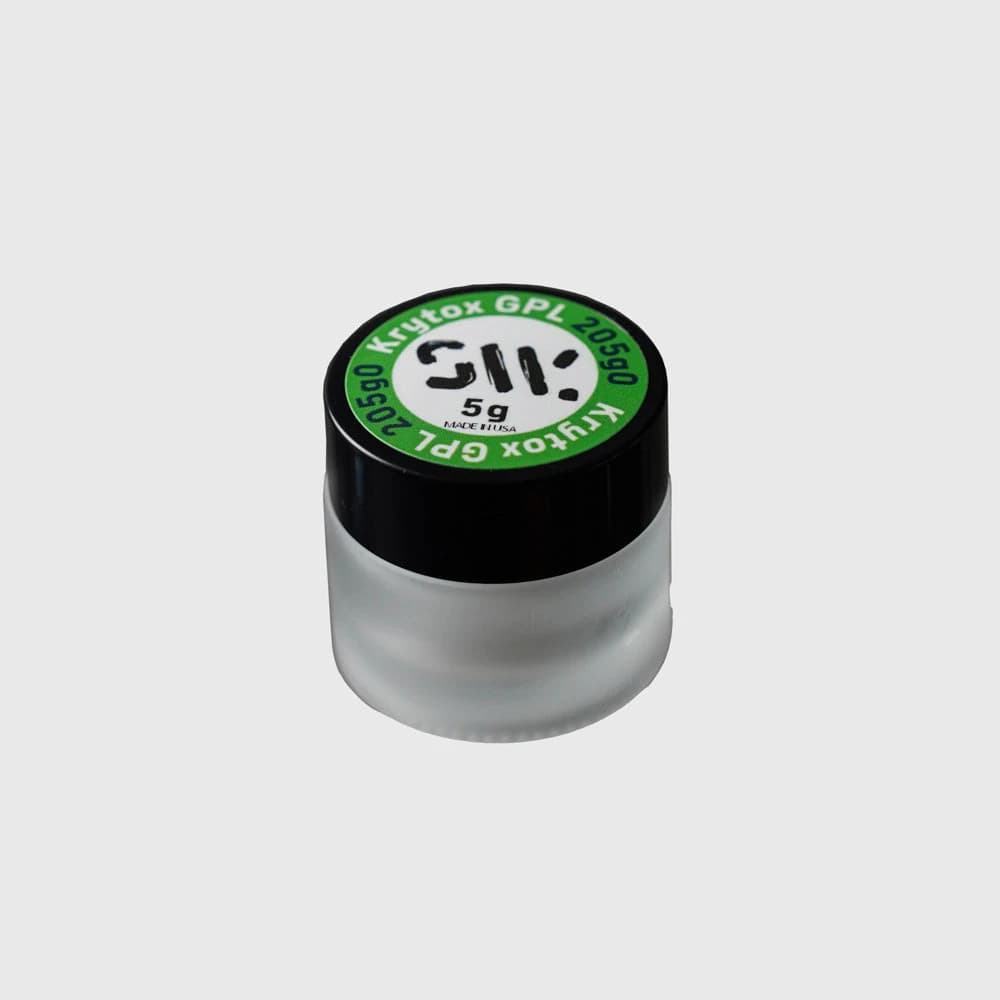
GPL 205g0 — switch grease ↗
Swagkeys offers GPL 205g0 as a grease for switch and stabilizer lubrication. For a tactile switch, its product guidance recommends avoiding the stem legs when you want to preserve a pronounced bump.
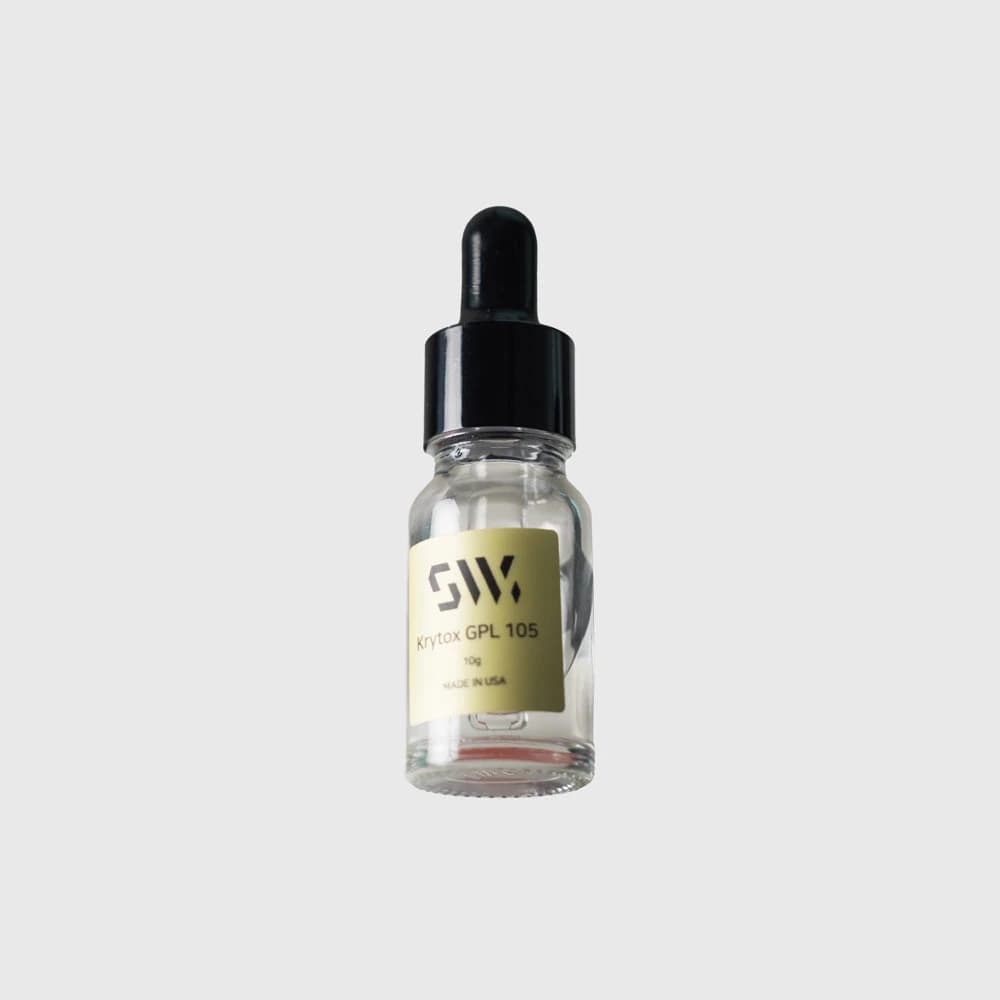
GPL 105 — spring oil ↗
Swagkeys lists spring lubrication as the main use of GPL 105 oil. Compare it separately from 205g0 grease when planning how to tune a tactile switch’s spring noise and sliding feel.
Why lubricant on tactile switch stem legs changes the bump
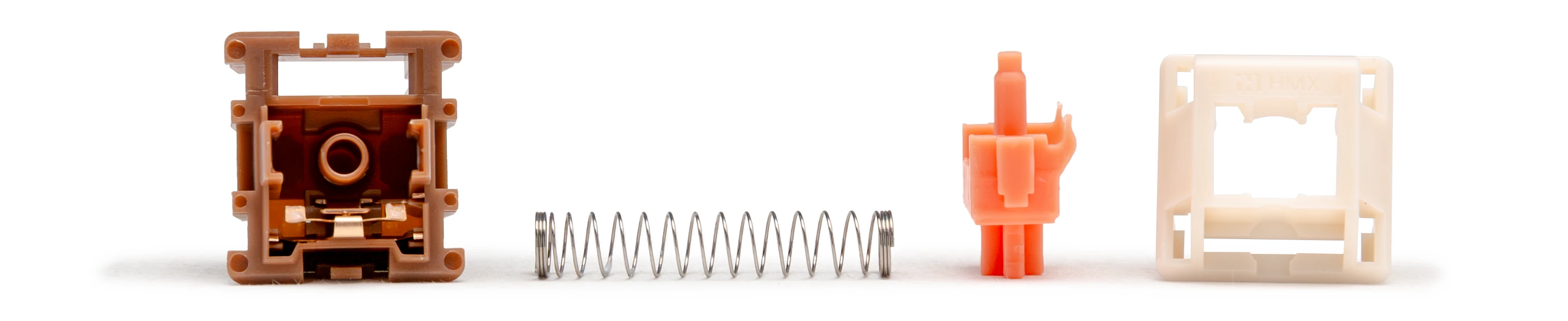
The stem leg’s shaped surface meets the contact leaf during the press. Lubricating that interface changes friction and can soften the perceived bump. It does not shrink the molded profile, and the result depends on the switch and application. Swagkeys and Glorious advise keeping lubricant off tactile legs when preserving a pronounced bump is the aim.
That advice is a useful starting point for a first modification, rather than a rule that factory tactile switches must have dry legs. Omnitype specifically lists a thin layer of 205g0 on the legs and sliders of HMX Valerian Light Tactile. Divinikey lists a similarly light treatment for Wingtree Golden Apple V2. Both remain deliberately tactile designs.
If you want to experiment, compare a few switches before treating a full set, and follow the exact product’s guidance. Leave the legs alone initially if you want to retain the current bump. The photo and schematic below show the location being discussed; neither is a measured before-and-after demonstration of lubrication.
3. What makes one tactile switch feel different from another?
A tactile switch’s feel combines the bump with spring resistance, sliding texture, stem guidance, and the landing at bottom-out. Compare these sensations independently. A strong bump can make the beginning of the press demanding even when the listed bottom-out weight looks modest; a heavier spring can feel tiring without producing a particularly strong bump.
Check what a force number describes before comparing it: tactile peak, electrical operating force, and bottom-out force refer to different points. Likewise, an early bump is not the same as early registration. Two tactile switches with similar headline weights can feel very different because the force changes differently through the stroke.
3.1 Strong tactile switches versus light tactile switches
For a pronounced tactile switch reference, try Gazzew Boba U4T or Wingtree Golden Apple V2. The former is described with a substantial, smooth bump; the latter is a useful medium-to-large-bump candidate. These examples help you decide whether pushing through a clear tactile event feels satisfying or interrupts your preferred rhythm. They are sampling suggestions, not an independently measured ranking.
Keep the exact versions straight. Gazzew Boba U4T is different from the silent U4 and later U4T housing revisions. Wingtree Golden Apple V2 is also different from the earlier BSUN Golden Apple. Spring options and revisions can change the comparison even when part of a familiar name stays the same.
For a milder tactile switch reference, Cherry MX2A Brown and HMX Valerian Light Tactile are useful alternatives. Cherry describes MX2A Brown as having gentle feedback; Valerian explicitly identifies itself as light tactile. Cherry MX Brown Hyperglide is another separately cataloged Brown version, rather than a substitute name for MX2A. A light-tactile label helps narrow the search, but there is no universal strength threshold behind it.
3.2 Tactile switch smoothness, texture, and stem stability
Texture is the fine-grained friction you feel through travel; the tactile bump is the intended change in resistance. You can enjoy a clean, pronounced bump and still dislike scratch, or enjoy a slightly textured stroke with only mild tactility. Neither preference is wrong, and a material label alone does not settle which sensation a tactile switch will give you.
A blanket split between scratchy Cherry or Kailh switches and smooth newer brands is unreliable. Cherry’s MX2A Brown already includes factory lubrication and revised guidance. More strikingly, Valerian’s designer Mori describes deliberately retaining a little scratch in that HMX light tactile design. Smoothness therefore needs to be checked at the model level, including for a familiar brand.
Use your experience with Cherry, Kailh, Haimu, HMX, Keygeek, or Wingtree as a reference vocabulary for what you like. Then verify the actual tactile model, factory treatment, and revision. Stem wobble is another separate check: try the sample with your intended keycap rather than treating a brand name as proof of tight guidance.
4. How to choose a tactile switch
Start by comparing a mild tactile switch with a pronounced one in the same keyboard. Keep the keycap, mounting, and typing task consistent. Notice whether you like immediate feedback or movement before the bump, and whether a sharper or more gradual transition helps you type comfortably. Choose a spring range you can use for more than a few demonstration presses.
Brand is a practical way to organize the next round of samples. If a particular tactile switch works for you, related models can provide useful comparisons in materials, molds, and tuning. Treat that as a shortlist-building method, while checking each product’s description. A recognizable brand does not guarantee the same bump, smoothness, wobble, or sound throughout its range.
Read detailed seller descriptions alongside compatible sound tests and your own samples. Pages that explain bump shape, lubrication locations, and bottom-out construction are more useful than a single adjective. The goal is to choose a tactile switch whose feedback you enjoy throughout real typing, rather than to maximize bump strength or chase one sound word.
A practical tactile switch comparison checklist
- Confirm keyboard compatibility first: MX-style mechanical, optical, magnetic, and low-profile switches are not automatically interchangeable.
- Compare bump strength, width, and starting position separately. Light, rounded, and early describe different aspects of a tactile switch.
- Check whether the listed weight means tactile peak, operating force, or bottom-out; avoid comparing unlike endpoints.
- Read the complete stem and housing combination, total travel, bottom-out design, exact revision, and factory-lube information.
- Try the stock switch before modifying it. If preserving the bump, start without adding lubricant to the tactile legs.
- Compare a small set in the same keyboard and keycap, then choose the tactile switch you find comfortable during a sustained typing task.