What Is a Linear Switch? Sound, Feel, and How to Choose
Learn how a linear switch works, how materials, stem poles, and lubrication change its sound and feel, and how to choose one for your keyboard.
1. What is a linear switch?
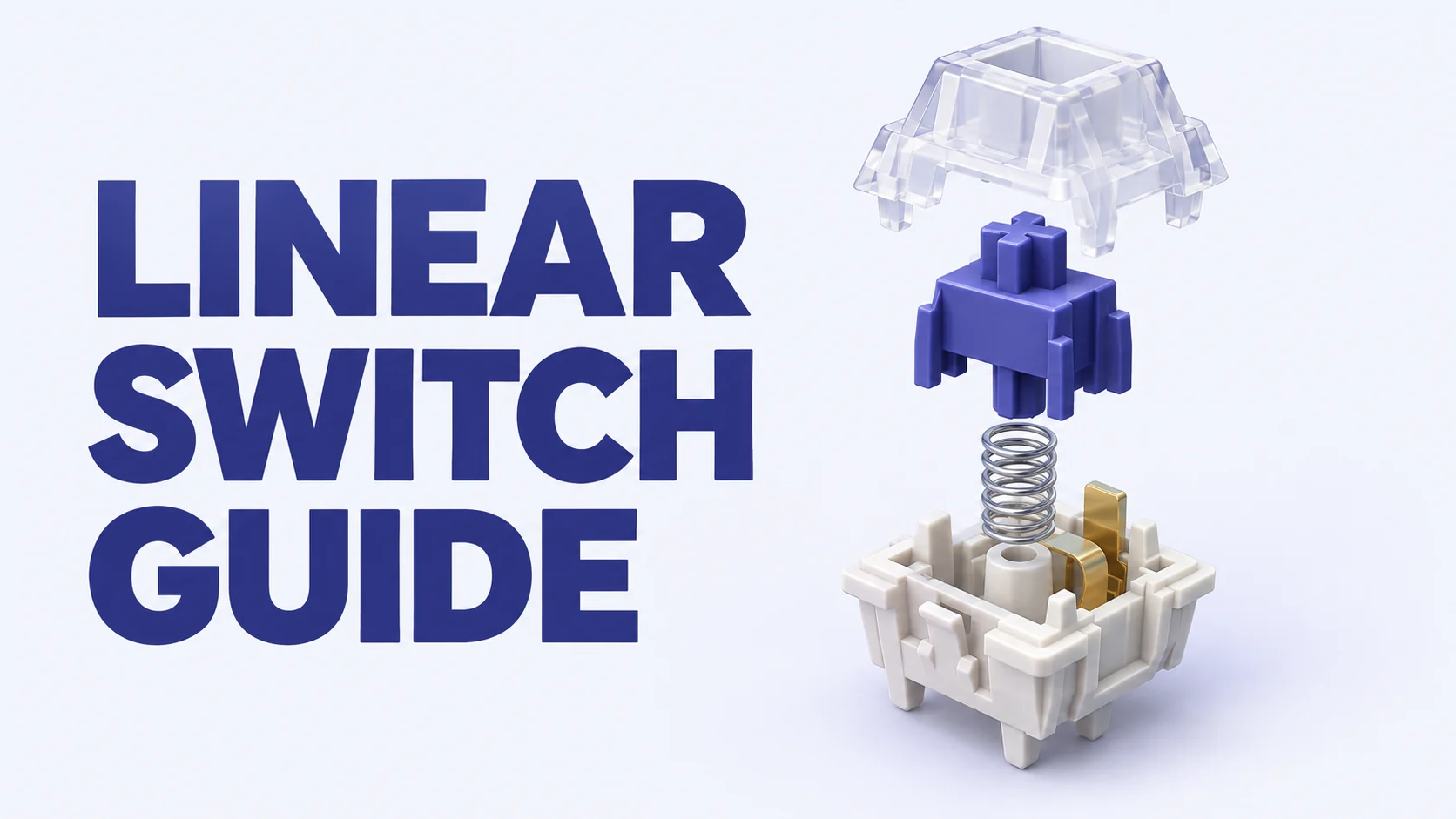
A linear switch is a keyboard switch that moves through its stroke without a deliberate tactile bump or a click mechanism. Press the key, and the stem slides down against a spring until you release it or reach the end of its travel. That uninterrupted stroke is what people usually mean by a linear typing feel.
Linear does not mean that the force stays constant. In a conventional spring-loaded linear switch, resistance generally rises as the spring compresses. It also does not mean silent: the stem can make a clear sound at bottom-out and again when it returns to the top housing.
For many typists, a linear switch feels easy to press because there is no tactile bump to push through. Whether it is comfortable for you also depends on spring weight, travel, friction, and how firmly you bottom out. A very light linear switch can feel effortless to one person and too easy to trigger to another.
Inside a linear switch: stem, spring, and housing
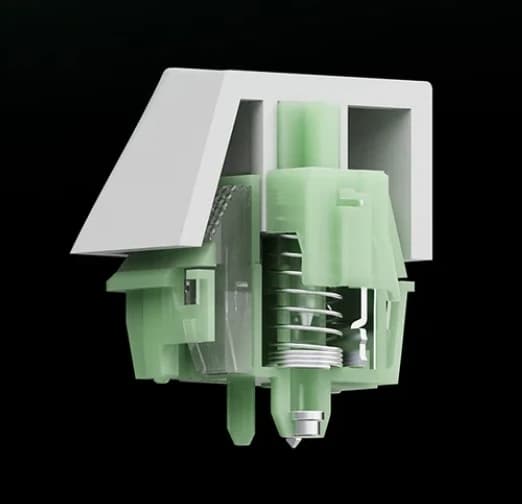
This guide focuses on conventional MX-style mechanical linear switches. The stem carries the keycap and moves inside the top and bottom housings. Guide rails constrain that movement, while the spring returns the stem after each press. The stem legs interact with metal contact leaves to register the keypress.
The center pole is the projection under the stem. It is different from the side rails, which guide the stem’s movement. In a pole-bottom-out linear switch the pole reaches the bottom housing first; in a rail-bottom-out design the rails reach their stops first. These small contact details help explain large differences in sound and feel.
Actuation and bottom-out are separate events. The key can register before the stem reaches its physical stop. A shorter total travel therefore does not, by itself, prove that a linear switch actuates earlier. Magnetic and optical switches can also have a linear feel, but their sensing systems and keyboard compatibility differ from the mechanical designs discussed here.
2. What changes a linear switch’s sound?
Two linear switches can share the same spring weight and still sound very different. The stem and housings use different materials, contact at different places, and carry different amounts of lubricant. Bottom-out is only part of the story: top-out, spring noise, and sliding texture can all be audible.
Words such as thocky, clacky, creamy, and rich are listening descriptions, not standardized measurements. Here, thocky means a deeper, fuller impression; clacky means a sharper, more distinct impact. The keyboard case, plate, mounting system, keycaps, foam, desk, microphone, and typing force all influence the result. Compare recordings made under similar conditions whenever possible.
2.1 Linear switch materials: more than POM versus nylon
A linear switch uses a material combination, rather than one material throughout. Read the stem, top housing, and bottom housing specifications separately. The stem’s sliding surface affects friction; the housing and the surfaces struck at bottom-out or top-out contribute to the sound.
The material families below are a starting vocabulary for comparing linear switch specifications. They are not a chart that assigns one guaranteed sound to each plastic. Grades, fillers, wall thickness, molds, and the mating material can change the outcome even when the headline material name stays the same.
| Material | Where you will see it | How to use the information |
|---|---|---|
| POM · polyoxymethylene | Commonly used for stems; also used for housings. | Often selected for low-friction sliding. A POM stem does not guarantee a quiet or deep-sounding switch. |
| UPE / UHMWPE | Stem materials and blends based on ultra-high-molecular-weight polyethylene. | Often used in pursuit of smooth travel. Check the exact formulation and housing pairing. |
| PC · polycarbonate | Frequently used for transparent top housings; sometimes for both housings. | Useful where light transmission matters. Clear housing is not a reliable shortcut to a particular pitch. |
| Nylon / PA | Housing specifications such as PA66 or PA12, as well as modified blends. | PA12 and PA66 are different grades. Do not assume that every nylon linear switch will sound the same. |
| POK · polyketone | Some modern stem specifications. | Treat it as another material family to compare alongside the mold, lubricant, and bottom-out design. |
Material names help you compare specifications; they do not guarantee a particular sound. The complete switch and keyboard determine the result.
Reading blend names: LY, HPE, P3, T2, and more
Linear switch listings also use names such as HPE, LY, Y3, P3, P4, T2, U4, and N1. These are often proprietary formulations or trade names. A familiar abbreviation is not a complete resin specification, and a recipe described for one product should not automatically be applied to every other switch using a similar name.
For a concrete example, UniKeys’ Canglan V2 review describes HMX’s P3 as a glass-fiber-containing PA66 blend and T2 as a blend involving POM, LY, and P3. That is useful context for those products, rather than a universal recipe for all linear switch materials. New blends and revised molds continue to appear, so read the current page for the exact revision you are considering.
Avoid a simple rule such as ‘nylon is always thocky’ or ‘PC is always clacky.’ A linear switch with a nylon blend can still have a bright impact, and different stem shapes or lubrication can change the impression. Use the material list to shortlist experiments, then listen and type.
2.2 Long-pole linear switches and total travel
A long-pole linear switch uses an extended center pole that can reach the bottom housing before the side rails do. With the same housing, extending the pole can shorten the distance to that stop and make bottom-out more concentrated. That often gives a more distinct impact sound, but it is not a guarantee of higher volume.
You may see roughly 13 mm or longer stem measurements used as a hobbyist shorthand. There is no universal 13 mm cutoff: overall stem length, the projection of the pole, and the depth of the housing’s center well all matter. Check the listed total travel and the actual bottom-out design rather than deciding from one length alone.
Durock Ice King Linear is a useful example at the longer end: SwitchOddities lists a 13.95 mm stem and 3.5 mm total travel. Those are specifications for that switch, not a formula for every linear switch with a similarly long stem. A deeper center well can offset a longer pole, and shorter total travel need not mean shorter actuation travel.
2.3 Linear switch pole tips: waffle shapes and metal inserts
The end of the pole is another tuning surface. Changing its geometry or material changes the contact at bottom-out. Designers use this alongside housing materials and lubrication, so a distinctive tip should be read as part of a complete linear switch design.
Waffle tip
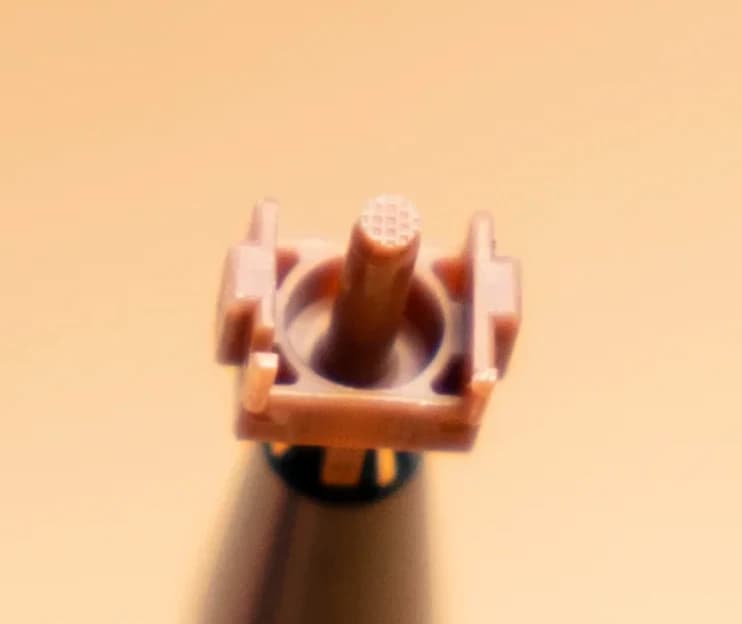
HMX Caramel Pudding V2 uses a patterned stem tip. UniKeys describes a fuller, thocky character and a firm but not stiff bottom-out. That is the seller’s description of this complete switch, not proof that every waffle tip reduces impact or loudness.
Metal pole
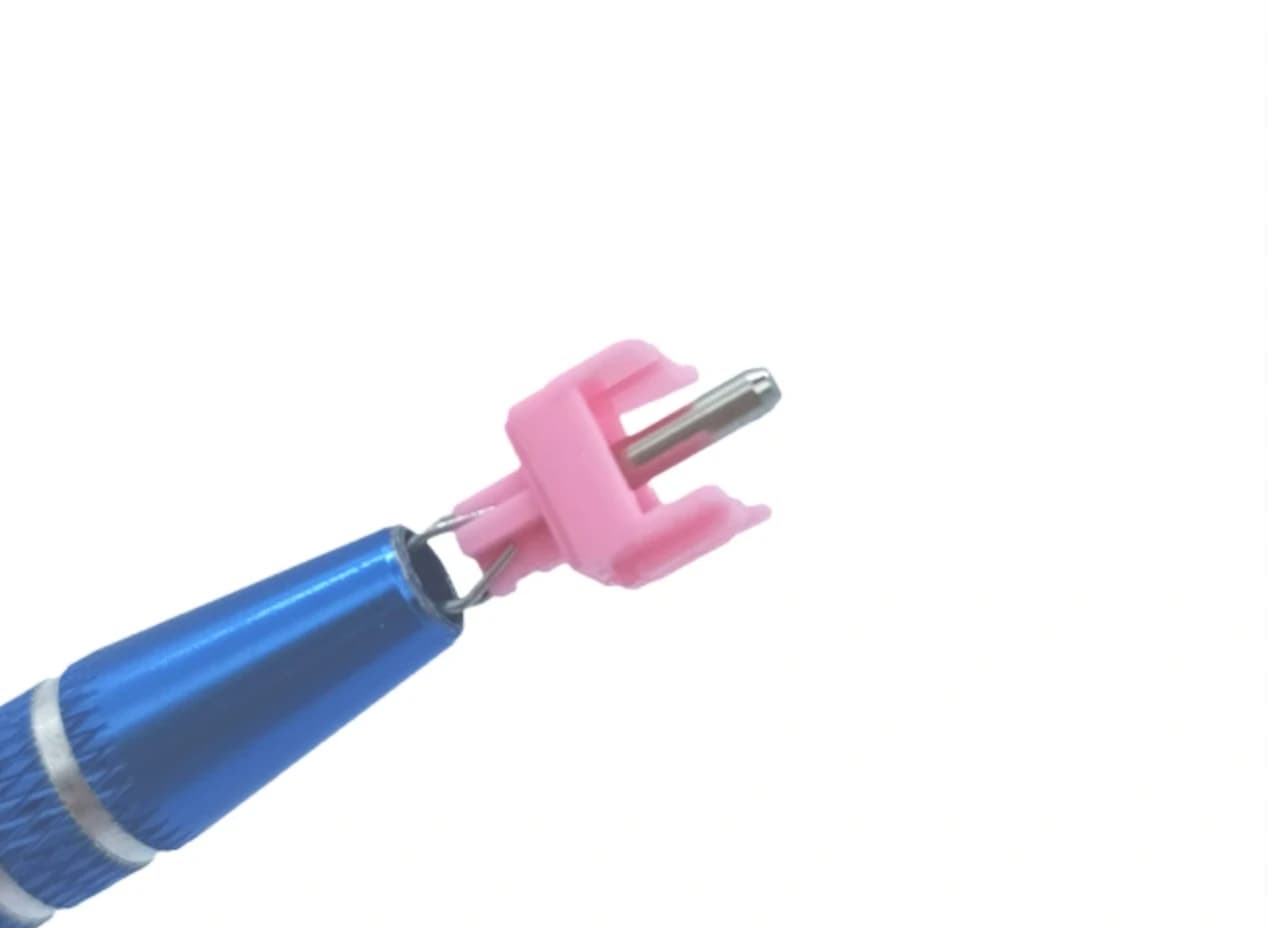
Tecsee Honey Peach combines a POM stem with a brass pole and PC housings. It is an example to explore if you are interested in a more distinct impact; the listed materials alone do not establish a measured clacky sound profile.
Rounded tip
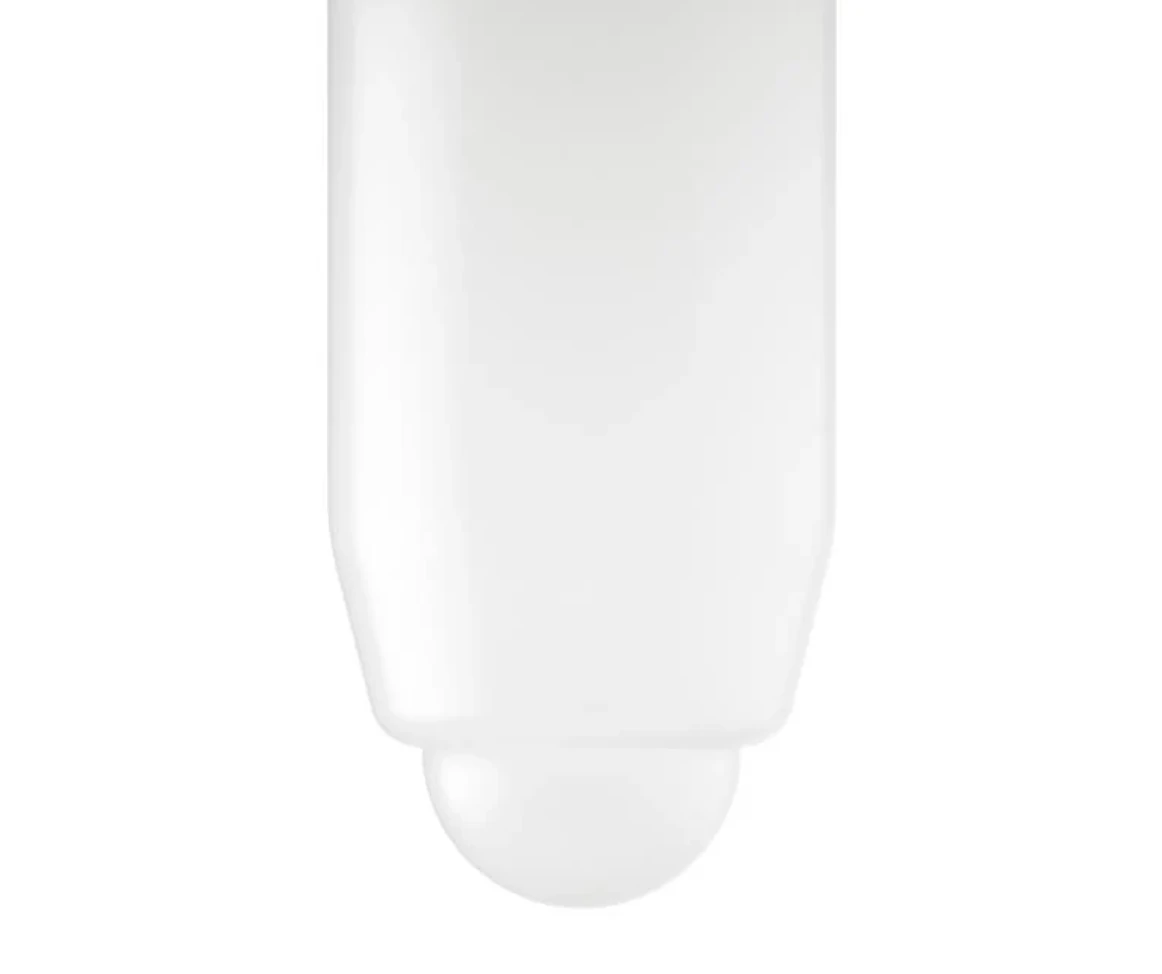
A round contact surface offers another way to tune the landing. The Keygeek Raw Round Pole shown below illustrates this shape, and its Flat Pole / Round Pole comparison is discussed in section 3.1. A rounded tip alone does not establish a measured force or noise advantage. Wuque Studio MM stems are another useful mix-and-match reference, with the same limitation.
Metal on metal
Wuque Studio WS Jade adds metal inserts to the stem and bottom housing, as documented in Computer Orbit’s listing. That gives a different contact pairing from a plastic pole striking plastic. Listen for its distinctive impact in a complete build; a metal insert is not the same thing as a click mechanism.
2.4 Linear switch lubrication: GPL 205g0 versus GPL 105
Lubrication changes how a linear switch’s moving parts slide and how much friction or spring noise you hear. A light, even application can reduce scratch and unwanted spring noise; too much can dull the sound or make the action feel sluggish. Lubrication also cannot repair an unsuitable fit or a damaged part.
GPL 205g0 is a grease commonly used on linear switch sliding surfaces. GPL 105 is an oil often used on springs. Swagkeys lists switch lubrication as an application for both, and spring lubrication as the main use for GPL 105. They differ in consistency, so they are not interchangeable just because both are lubricants.
Factory lubed means lubricant was applied during production. Many current linear switch listings offer this, including several examples in this guide, but the label does not guarantee the same amount, placement, or consistency between products. Try a factory-lubed switch in its stock condition before deciding to add more.
Lubing is an option, not a requirement for a linear switch to work. Some typists enjoy a dry or textured stroke. HMX Rain, for example, is explicitly described by UniKeys as intentionally sandy despite being sold factory lubed. Smoothness is a preference to compare, rather than the only definition of a good linear switch.
3. Why linear switch feel varies
A linear switch can have a smooth stroke but a firm landing, or a slightly textured stroke with a more relaxed bottom-out. Separate the sensation during travel from the sensation at the end of travel. Spring resistance and return behavior add another dimension, even before you compare pole shapes.
Stem wobble also matters: movement sideways or front-to-back can change how stable the key feels. Tighter guidance may improve that impression, but brand name or material alone does not establish how much wobble a particular switch has. Compare the same keycap on switches installed in the same plate or PCB.
3.1 Flat-pole versus round-pole linear switch feel
A flat pole and a rounded pole meet the bottom housing differently. A flat landing can feel more abrupt; a rounded tip can feel less abrupt in some designs. The material, contact geometry, travel, and keyboard’s flex all influence that impression. A smaller initial contact area does not, on its own, prove lower force or eliminate the feeling of bottom-out.
Keygeek Raw is useful for a direct comparison because GEONWORKS offers both Round Pole and Flat Pole versions on the same product page. The seller explicitly says Flat Pole is louder than Round Pole. That supports a sound comparison for this model; it does not establish that every rounded linear switch is quieter or softer than every flat-pole alternative.
If you are sensitive to a hard landing, try both pole shapes in the keyboard you use. A rounded pole is still a physical stop. For a more substantial reduction in impact noise, compare a purpose-built silent linear switch with dampers rather than assuming that round pole means silent.
3.2 Rail-bottom-out linear switches
In a rail-bottom-out linear switch, the stem’s side rails reach their stops before the center pole reaches the floor of its well. In a pole-bottom-out design, the center pole makes that limiting contact instead. The contact location changes the landing sensation and acoustic character.
HMX Rain is a documented rail-bottom-out example with 4.0 mm total travel. A full 4.0 mm travel is common in this design family, but travel distance alone does not identify the contact point. Verify the construction for the exact switch rather than treating every 4.0 mm linear switch, or every Cherry model, as mechanically identical.
Rail bottom-out can feel less concentrated than a hard pole landing, but it is not a universal softness ranking. Some people may prefer the landing of a rounded-pole linear switch to a particular rail-bottom-out switch. Typing force, spring weight, material stiffness, and the keyboard’s mounting all remain relevant.
4. How to choose a linear switch
Start with a brand or manufacturer whose switches you can sample. Related designs sometimes share recognizable choices in molds, materials, and lubrication, which makes them useful reference points. Then compare the exact model and revision: the name on the bag is a starting point, not a promise that every switch in the range feels alike.
For a classic-feeling starting point, explore suitable linear models from Cherry, Kailh, or Haimu. For designs emphasizing smooth travel and closely guided stems, explore individual HMX, Keygeek, or Wingtree models whose specifications and reviews describe those traits. These are editorial starting points, not a claim that one group is always scratchy or another always smoother. HMX Rain’s deliberately textured travel is a good reminder of the exceptions.
UniKeys is a useful place to compare descriptive product pages: many include a discussion of sound, feel, materials, and factory lubrication. Read those as the seller’s descriptions and use them alongside recordings and your own samples. Pay attention to whether a page discusses the same revision and spring option you intend to buy.
A practical linear switch comparison checklist
- Confirm compatibility first. MX-style mechanical, magnetic, optical, and low-profile switches are not automatically interchangeable.
- Choose a spring-weight range you can comfortably type on. Check both operating force and bottom-out force when available.
- Compare total travel and bottom-out construction. Decide whether you like a shorter pole landing or a longer rail-bottom-out stroke.
- Read the complete material combination, not just the stem name. Check the exact product revision and factory-lube information.
- Try a few samples with the same keycap in the same keyboard. Listen to bottom-out, top-out, and spring noise separately.
- Use brand to narrow the search, then choose the linear switch you actually enjoy typing on. A sound-test recording is a clue, not a guarantee of your build’s sound.