What Is a TKL (Tenkeyless) Keyboard? When It’s Worth the Extra Width
I used to own about four TKL keyboards. Now I keep one, a TGR Jane V2 ME. I love its rich typing sound at a desk, but when I take a keyboard to a coworking space, a 65% fits over my laptop’s keys. Here is what a TKL keeps, what that extra width buys you, and how three plates sound on the same Jane.
1. What is a TKL keyboard?
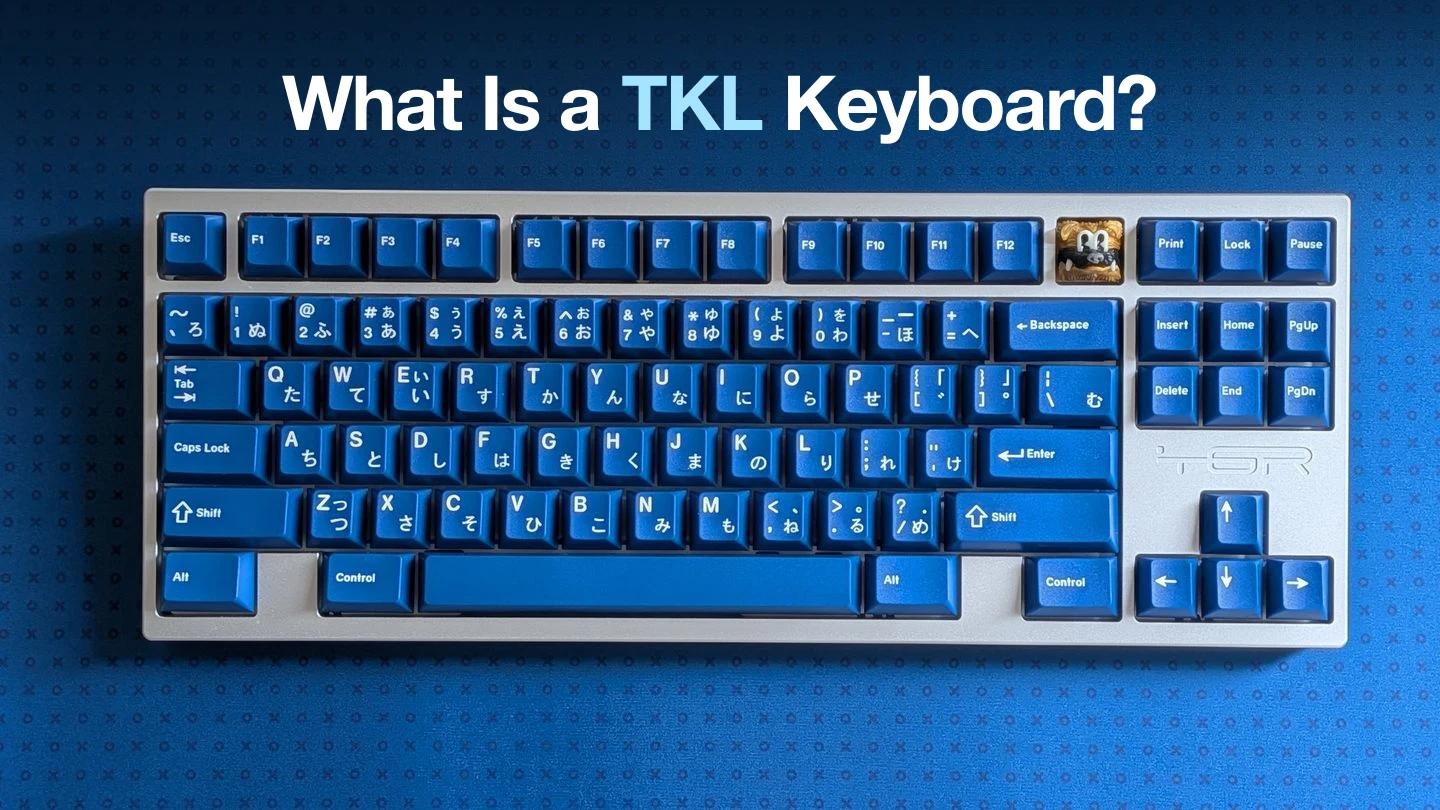
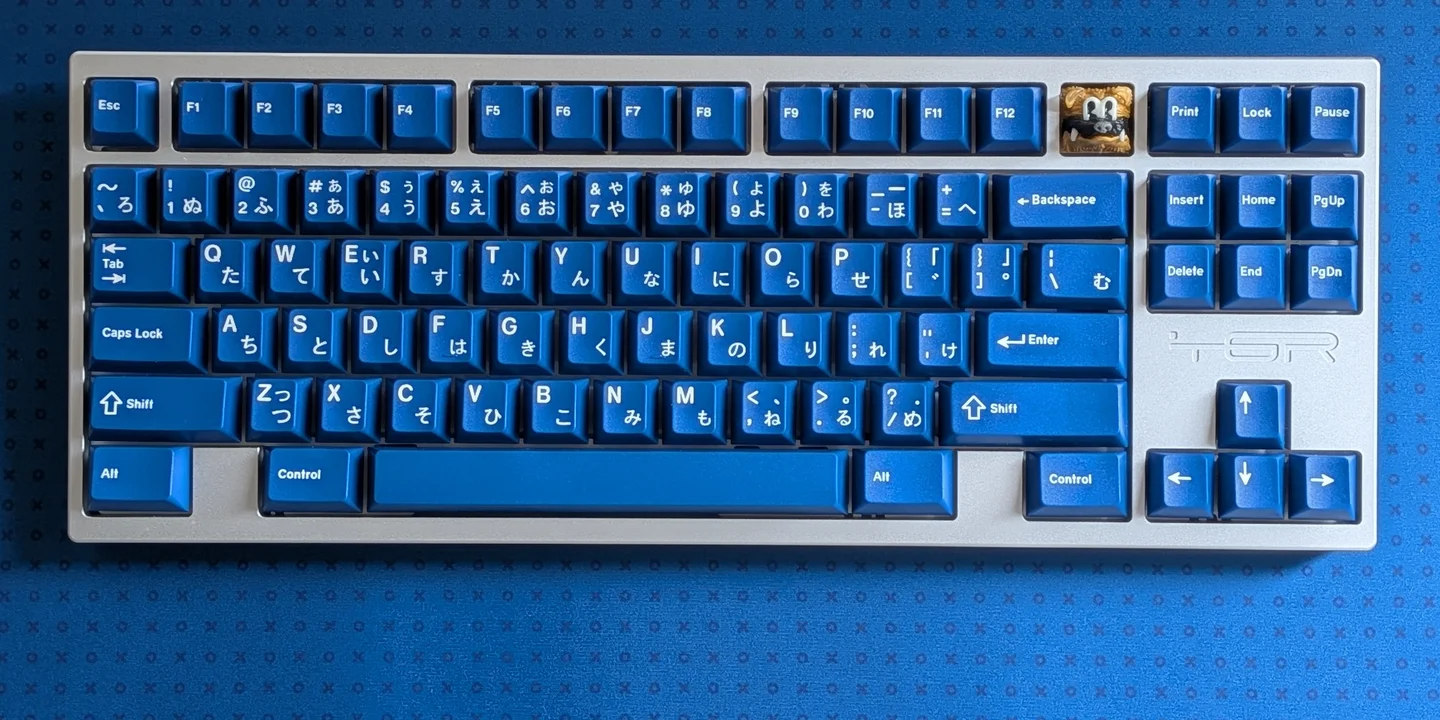
TKL stands for tenkeyless. A traditional TKL keyboard takes the familiar full-size arrangement and drops the number pad. The main typing area and F1–F12 stay in place. Insert, Home, and Page Up sit in a block above Delete, End, and Page Down, with a separate set of inverted-T arrows below. A standard US ANSI TKL typically has 87 keys and is also called an 80% keyboard. Regional layouts and custom builds can have different counts.
The quickest way to recognize the layout is to look between Enter and the right edge. On my TGR Jane V2 ME, there are clear gaps around both the six-key block and the arrows. A 75% keyboard typically keeps a function row and dedicated arrows too, but packs its navigation keys into less space. What you gain with a traditional TKL is a familiar set of positions you can reach for without looking, especially if you already know them from a full-size board.
2. Why I like the sound of a TKL
Typing sound is the biggest reason I like TKL keyboards. On the TKL builds I’ve used, I hear a fuller sound than I usually get from my 65% and 75% builds. After the initial strike, the note seems to spread through the board. That sense of space is what I mean by rich. I enjoy the way a larger case can resonate, and the Jane is the board I kept for that experience.
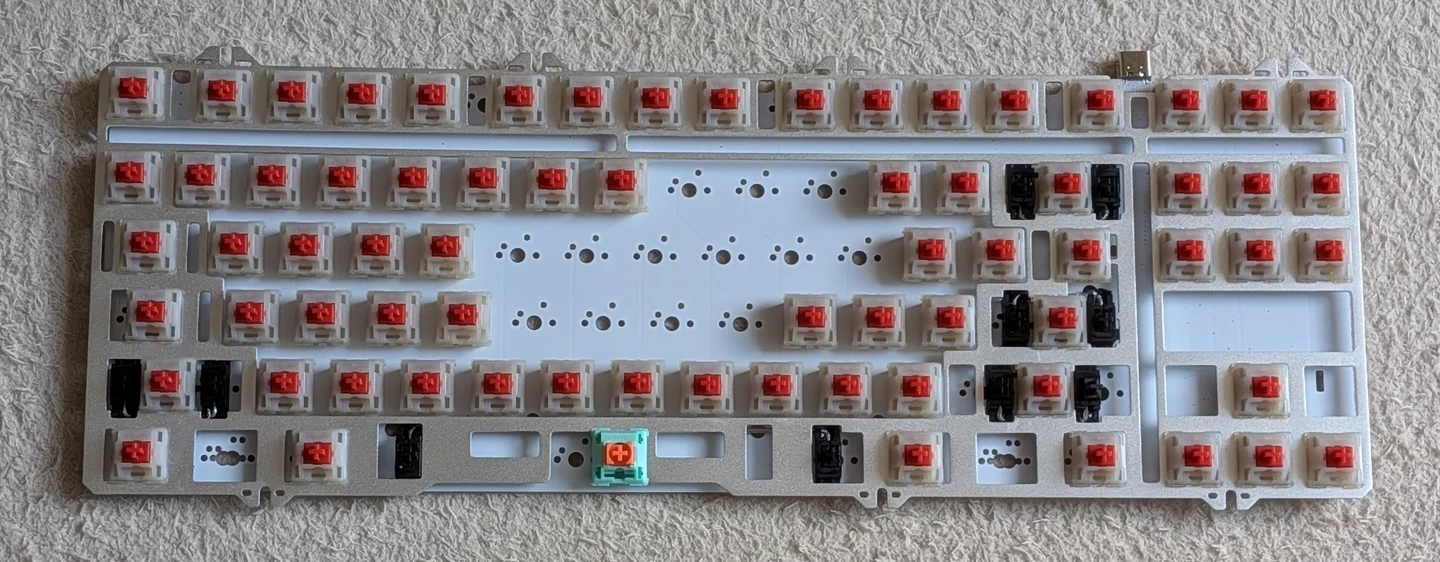
The plate and mounting also change how the assembly vibrates. My sound comparison uses a TGR Jane V2 ME with Gateron Cream Soda switches across three configurations. The full aluminum plate and the full polycarbonate plate both surround the switches across the typing area. The half aluminum plate leaves the letter-key area open, so the switches there mount directly to the PCB without a plate around them. The photo shows the exposed PCB through that opening.
On this Jane build, the half aluminum setup sounds more direct to me. I enjoy how clearly I can hear each keystroke, and the bottom of the stroke feels firmer under my fingers. That feel is my impression of this particular build. The sound comparison gives you three versions of the same TKL and switch combination, so you can hear how much the character changes while the layout stays the same.
Start with the letter keys in each pass. Listen for the first impact, then for what hangs in the air between strokes. The spacebar has its own character, so compare it separately if that’s the sound you care about most. You might prefer one recording for the attack and another for the way it trails off.
Think of this recording as a way to choose between builds. If the full aluminum and half aluminum takes sound different to you, the comparison shows why a plate’s coverage is worth looking at alongside its material. If the polycarbonate take is the one you keep returning to, that preference matters more than what you expected from a metal or plastic plate. The video compares three setups in the Jane. My impression of how it sounds next to smaller boards comes from typing on those boards myself.
3. When dedicated arrow keys matter
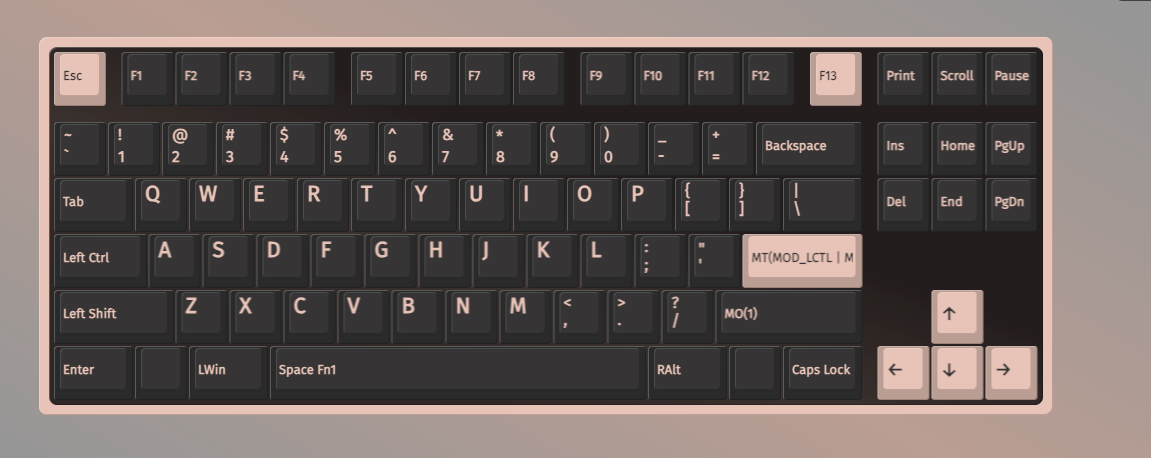
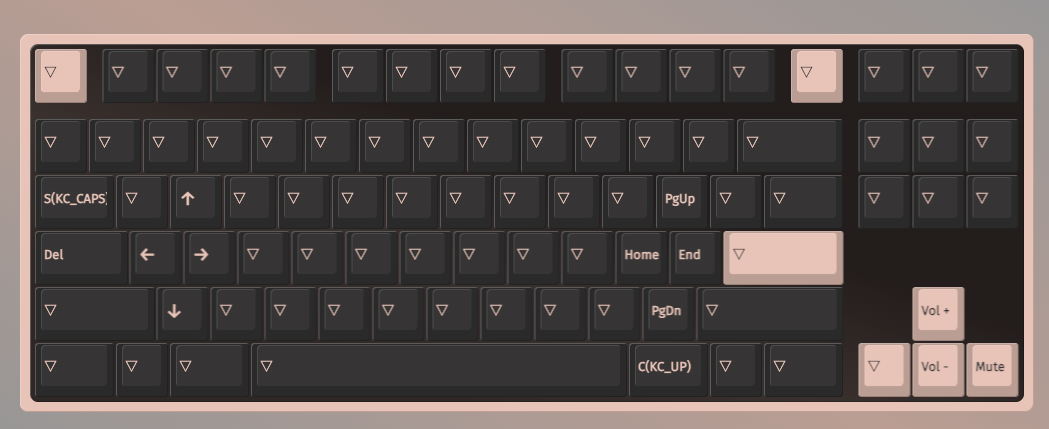
My Jane shows why physical keys and layers can coexist. On the base layer I can reach over to Home, End, or the arrow cluster with my right hand. Most of the time I stay in the typing area and use my Fn layer instead. It has another set of arrows there, plus Home, End, Page Up, and Page Down. In the screenshots, W, A, S, and Z become Up, Left, Right, and Down. The physical arrow positions also give me access to volume controls on the same layer.
Take something ordinary like editing a paragraph. I can hold the layer key and nudge the cursor while my hands stay near the letters. I can also move my right hand once and work from the dedicated keys. On a keyboard that doesn’t let me assign arrows to a layer, I value having physical arrows to reach for whenever I need them. A 75% can give me those arrows too. The extra thing a traditional TKL gives me is space around them and a full navigation block above them.
If you’re deciding whether that block is worth it, pay attention to one task you do every day. When you jump around a document or extend a selection, which keys do you look for? If you already use Home, End, or the page keys by touch, putting them in their familiar places can make a move from full-size straightforward. If your hands keep choosing a layer like mine do, the block may see little use. The exact firmware and keymap matter as much as the size label for that decision.
To try it, open the editor you normally use and move through a paragraph with the arrows. Then try your usual selection shortcut. With physical arrows, you can keep one hand on the modifier and move the other to a distinct cluster. With a layer, check whether you can hold the layer key and the modifier comfortably at the same time. The better arrangement is the one you can use without interrupting the edit.
4. TKL vs. 75% on the desk
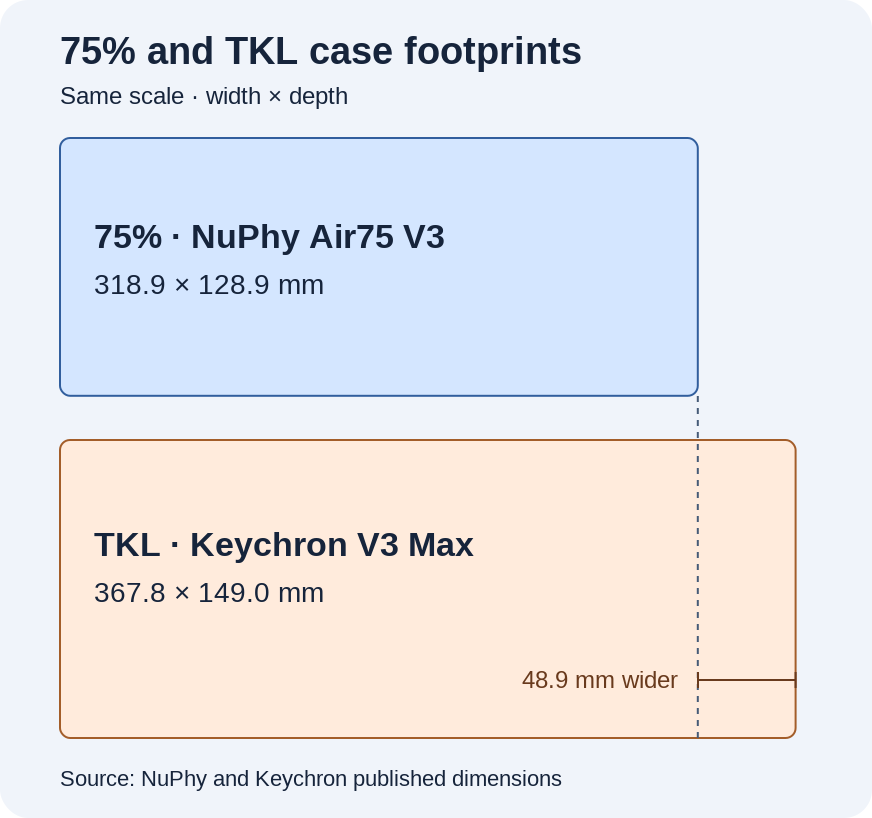
Here’s what the extra room looks like. The NuPhy Air75 V3 measures 318.9 × 128.9 mm and the Keychron V3 Max TKL measures 367.8 × 149.0 mm. With their left edges aligned, the TKL reaches 48.9 mm farther to the right. That’s nearly five centimeters you can picture next to your mouse. These are manufacturer dimensions for the two named cases. If you use a different 75% or TKL, compare its own outer dimensions.
On the Air75 V3, Home, End, and the page keys sit in a column. On a traditional TKL, those keys have their own block alongside Insert and Delete. If you already have every shortcut you need on a 75%, the TKL’s spacing and the sound of a specific build are better reasons to consider moving up than the key count alone.
Compare both widths from where you actually put your hands. If you line up the typing areas, much of the extra space falls to the right. With a mouse on that side, mark the right edge of the wider keyboard with a strip of paper, then use the mouse normally. You’ll quickly see whether the extra width gets in the way of a broad mouse movement or simply occupies a part of the desk you rarely use.
5. Why I went from about four TKLs to one
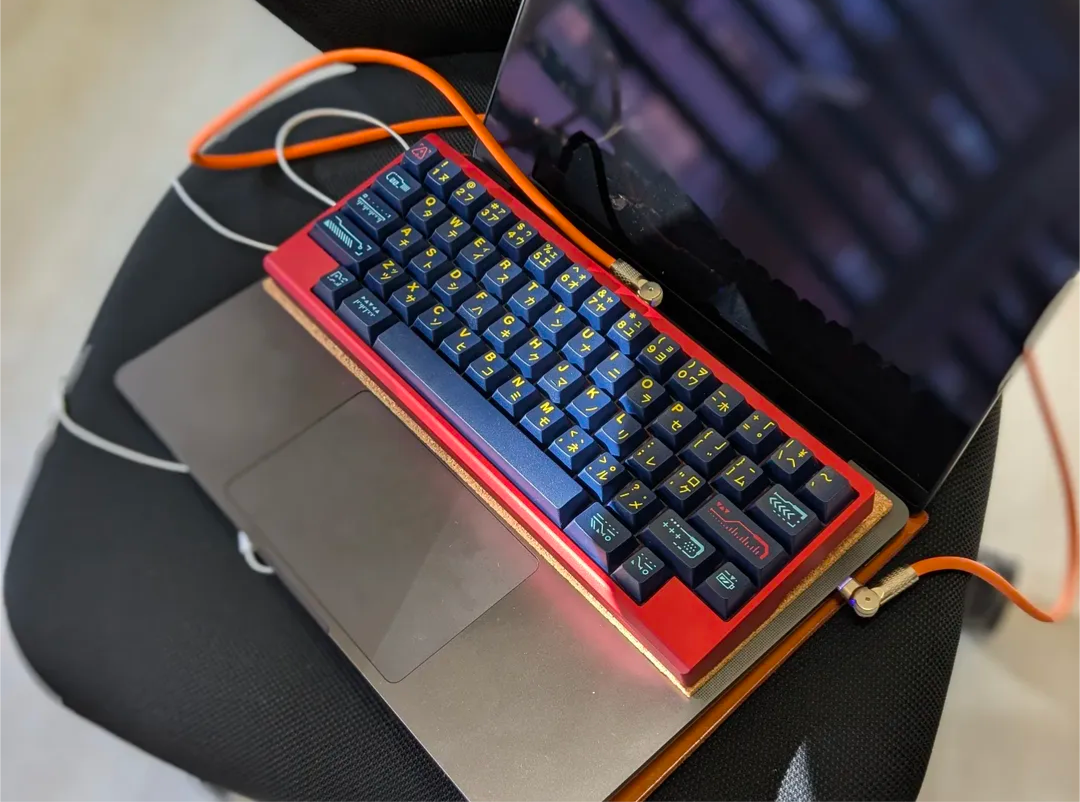
I used to own about four TKLs. Now I work at coworking spaces more often than I work at my own desk, and I’m down to one. I like to type with an external keyboard over my laptop’s built-in keys, a setup known in Japan as Sonshi style. The photo shows a 60% board in that position. I usually prefer a compact 65% because it still fits my setup and gives me dedicated arrows.
My TKL is too wide for the way I use a laptop, and its footprint makes it less convenient to carry. If you want to try this setup, check the part of the laptop where the board can rest securely. The useful space is the area between the hinge and trackpad, as well as the width available across the deck. At a permanent desk, I have room for the Jane and can enjoy its sound for a whole session.
If you mostly work at one desk, have the room, and like the sound of a particular TKL, it’s worth trying. A TKL also makes sense if you want familiar navigation without a number pad. If you often pack up your keyboard or put it on a laptop, a compact board is easier to live with. That’s why the Jane stays at my desk and a 65% is what I take with me.