Lofree Flow Lite 2 Review: Softer Typing, Distracting Switch Ping
Wider keycaps, softer landings, and a better volume roller make the Flow Lite 2 easy to settle into. The switch ping and a failed VIA Mod-Tap assignment are harder to live with.
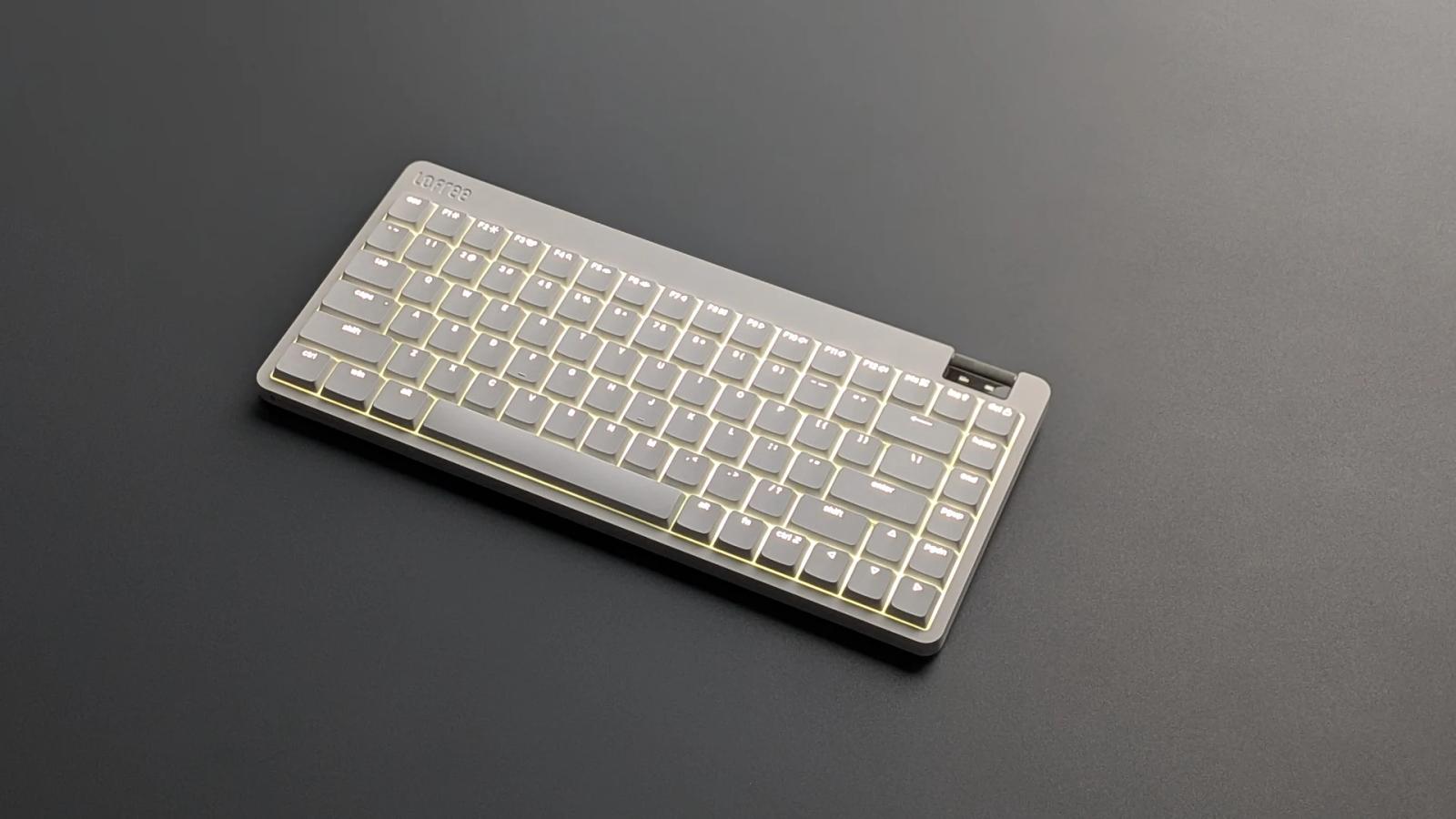
The 84-key model on my desk
The first thing I noticed about the Flow Lite 2 was how easy it was to find my footing on the keys. The tops felt broader than on the original Flow Lite, the bottom of the stroke had a little give, and the board sounded clean in normal typing. Then I started hearing a thin metallic ring from the stock Echo switches. Once I picked it out, it was hard to stop listening for it.
My time was with the white 84-key US ANSI board and its stock switches and keycaps. The compact layout retains the function row, arrow keys, and a right-hand navigation column. The 100-key version adds a number pad in a 96% footprint, about 57 mm wider according to Lofree’s listed dimensions.
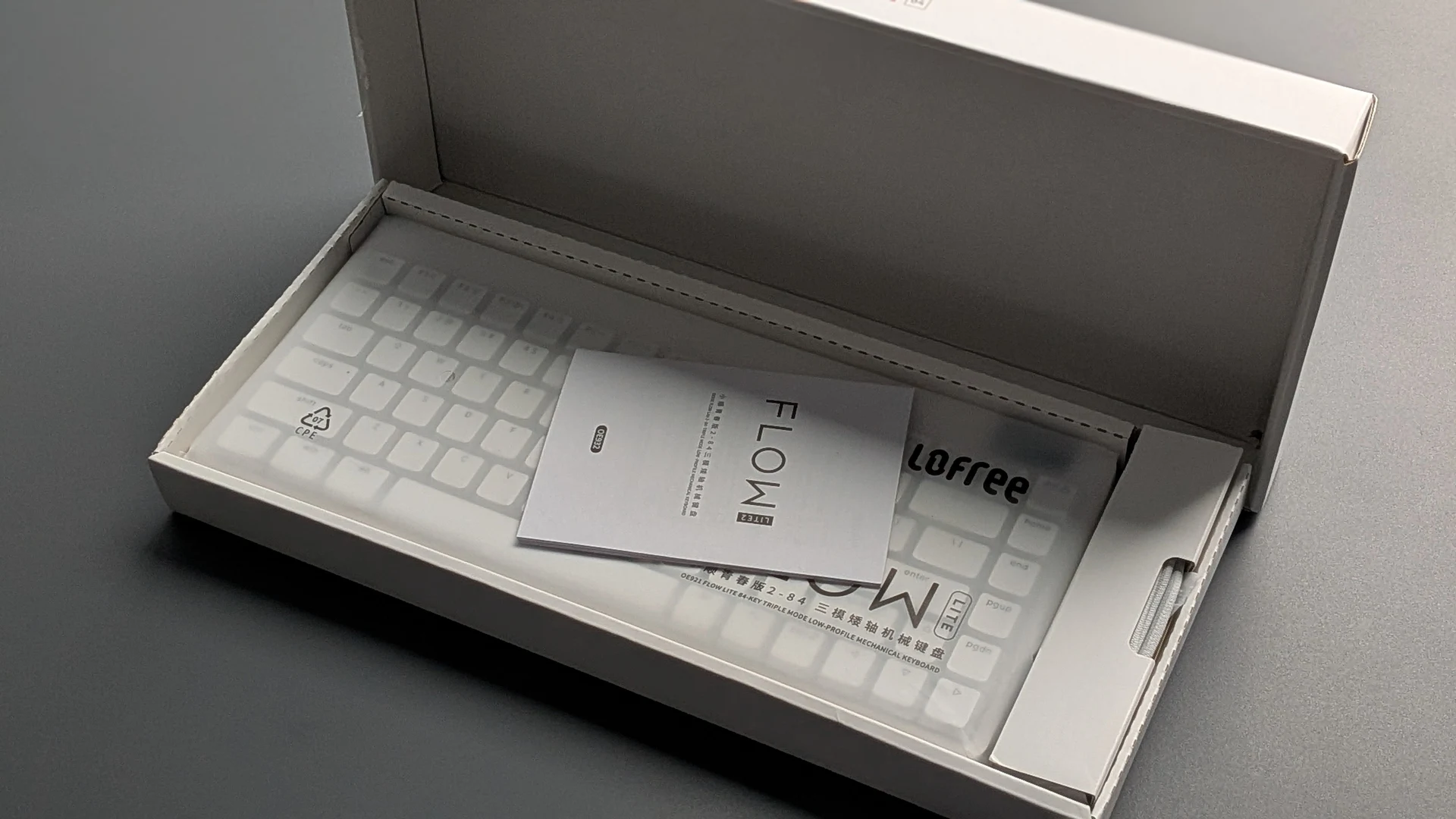
Lofree lists a USB-C cable, 2.4 GHz receiver, user guide, and four Mac layout keycaps in the 84-key box. It lists Windows, macOS, iOS, iPadOS, and Android compatibility.
The Flow Lite is Lofree’s lower-priced low-profile line. Lofree says the original sold more than 250,000 units worldwide.
What changed from the first Flow Lite
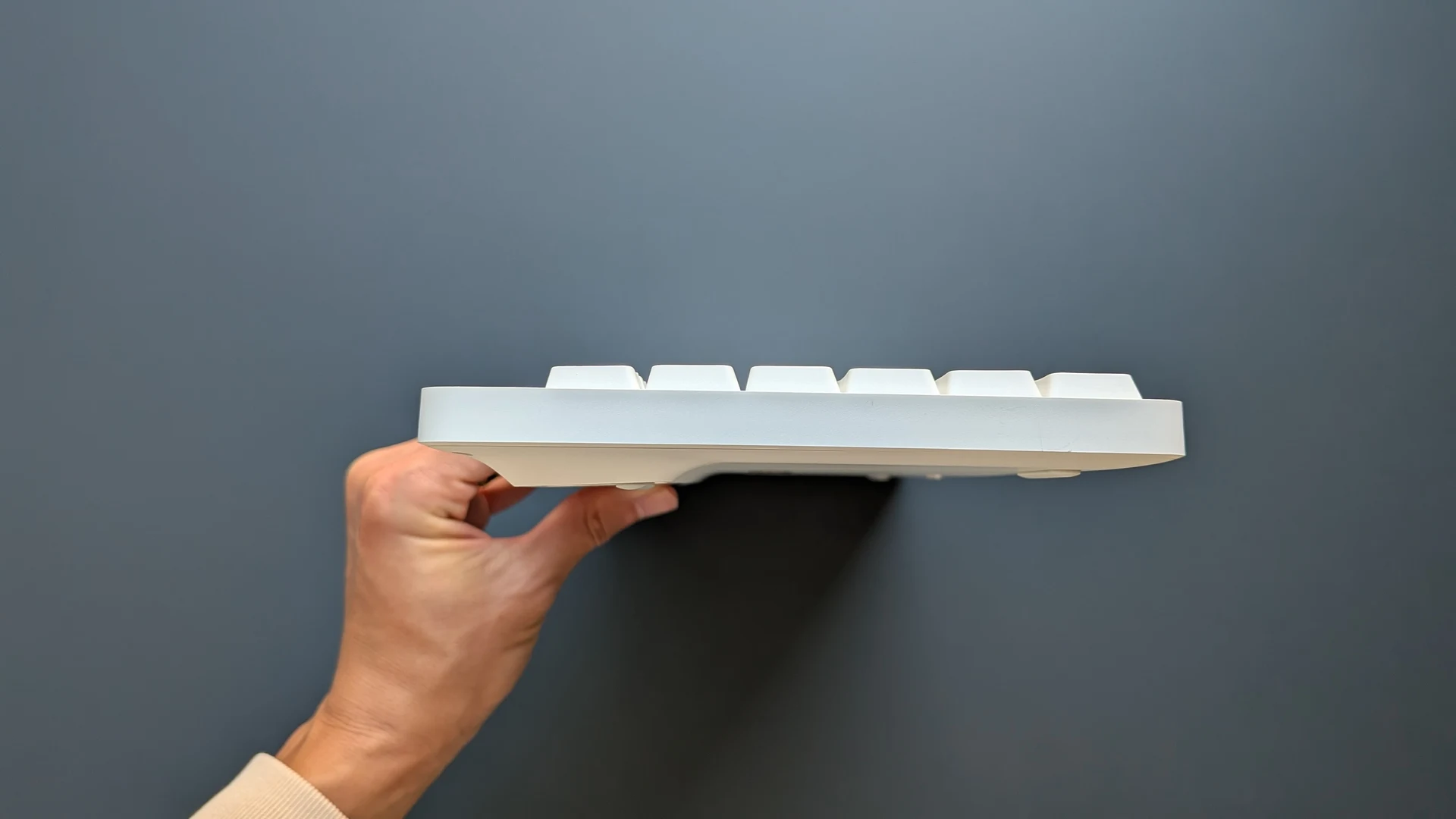
Several changes are visible before the board is plugged in. The wedge gives way to a flatter case, the key tops have more usable area, and there is a small status screen directly below the volume roller. Lofree also changed the parts that determine how the board responds under a finger.
| Feature | Original Flow Lite | Flow Lite 2 |
|---|---|---|
| Stock linear operating force | 40 gf | 45 gf (Echo) |
| PCB and plate | 1.6 mm PCB | 1.2 mm flex-cut PCB and segmented plate |
| Sound-dampening foam | Original T-shaped layer | Uniform 3 mm Pro foam |
| Case and typing angles | Wedge, 3° or 6° | Flatter case, 0° or 8° |
| Keycap shape | More rounded tops | Broader contact area, sharper contours |
| 84-key battery | 2,000 mAh | 3,000 mAh |
| Volume and status | Volume roller | More defined roller steps and a status screen |
From Lofree’s generation comparison, design notes, and product listings. The 50% battery capacity increase applies to the 84-key model.
Where the Flow Lite 2 fits in the Flow series
Lofree’s original Flow and Flow 2 use aluminum cases. Both Lite generations use ABS. At 84 keys, the Flow Lite 2 weighs 536 g, 209 g less than the aluminum Flow 2. The Lite 2 also pairs a physical roller with a status display. The Flow 2 uses a touch bar and comes in a 68-key size as well.
Lofree also sells the Flow 2 for Mac in 84- and 100-key sizes. That variant has a dedicated Mac physical layout, an aluminum case, the touch bar, and stock Cloud Surfer linears.
| Feature | Flow (2023) | Flow Lite (2024) | Flow 2 (2025) | Flow Lite 2 (2026) |
|---|---|---|---|---|
| Key counts | 84 / 100 | 84 / 100 | 68 / 84 / 100 | 84 / 100 |
| Case | Aluminum alloy | ABS | Aluminum | ABS |
| Weight (84 / 100 keys) | 594 / 738 g | 550 / 658 g | 745 / 870 g | 536 / 625 g |
| Stock switch options | Ghost linear or Phantom tactile | Specter linear, 40 gf | Cloud Surfer linear, Void silent linear, or Pulse tactile | Echo linear, 45 gf |
| Keycaps | Dye-sublimated PBT | Double-shot PBT + PC | Double-shot PBT + PC | Double-shot PBT + PC |
| Connections | USB-C and Bluetooth | USB-C, Bluetooth, and 2.4 GHz | USB-C, Bluetooth, and 2.4 GHz | USB-C, Bluetooth, and 2.4 GHz |
| Typing angles | Fixed at 3.9° | 3° or 6° | 0° or 7° | 0° or 8° |
| Controls and lighting | White backlight, RGB sidelights | Volume roller, white backlight | Touch bar for volume and brightness, white backlight | Volume roller, status display, white backlight |
| Key remapping | No configurator listed | Lofree Key Mapper | VIA | VIA. Lofree Hub support in development. |
| Battery (84 / 100 keys) | 2,000 / 3,000 mAh | 2,000 / 3,000 mAh | 3,000 / 3,000 mAh | 3,000 / 3,000 mAh |
Based on Lofree’s Flow Series comparison workbook and official product listings. All four are gasket-mounted and hot-swappable. The 68-key Flow 2 has a 2,000 mAh battery. Switch availability varies by configuration.
Typing feel and keycaps
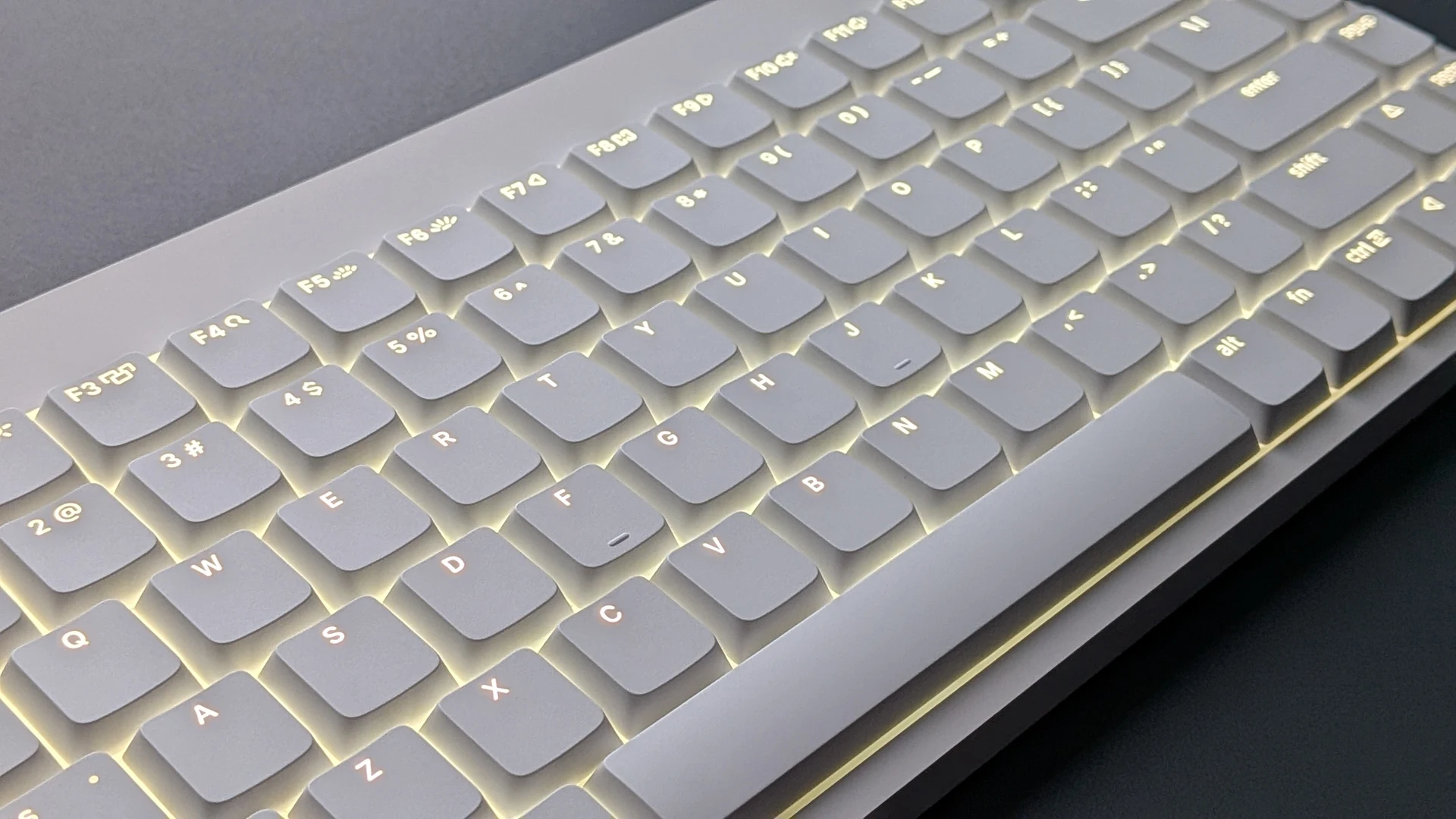
The keycaps are the change I felt most consistently. Compared with the original Flow Lite, the broader tops give my fingertips more room to land, especially when I’m moving quickly between rows. The caps are double-shot PBT and polycarbonate according to Lofree’s specification sheet. The illuminated legends are easy to pick out, and the white light looks even across the board. The close-up shows how it comes through the legends and around the key edges.
A thinner PCB and a softer landing
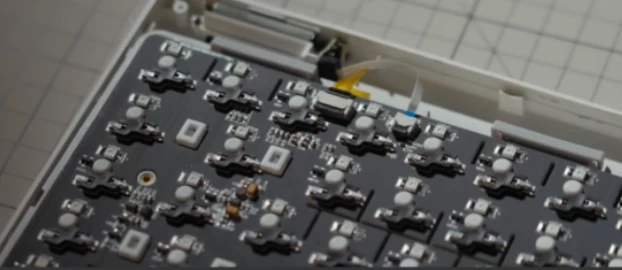
The bottom of the stroke felt softer than I expected from a board this slim. Lofree uses a 1.2 mm PCB, down from 1.6 mm, with flex cuts and a segmented plate. It also revised the gasket-mounted assembly and replaced the original foam shape with an even 3 mm layer. The thinner PCB could be contributing to the softer feel. I felt the assembled board as a whole, so the contribution of the PCB, plate, gasket, and switches is hard to isolate.
Kailh Echo switches and the ping I kept hearing
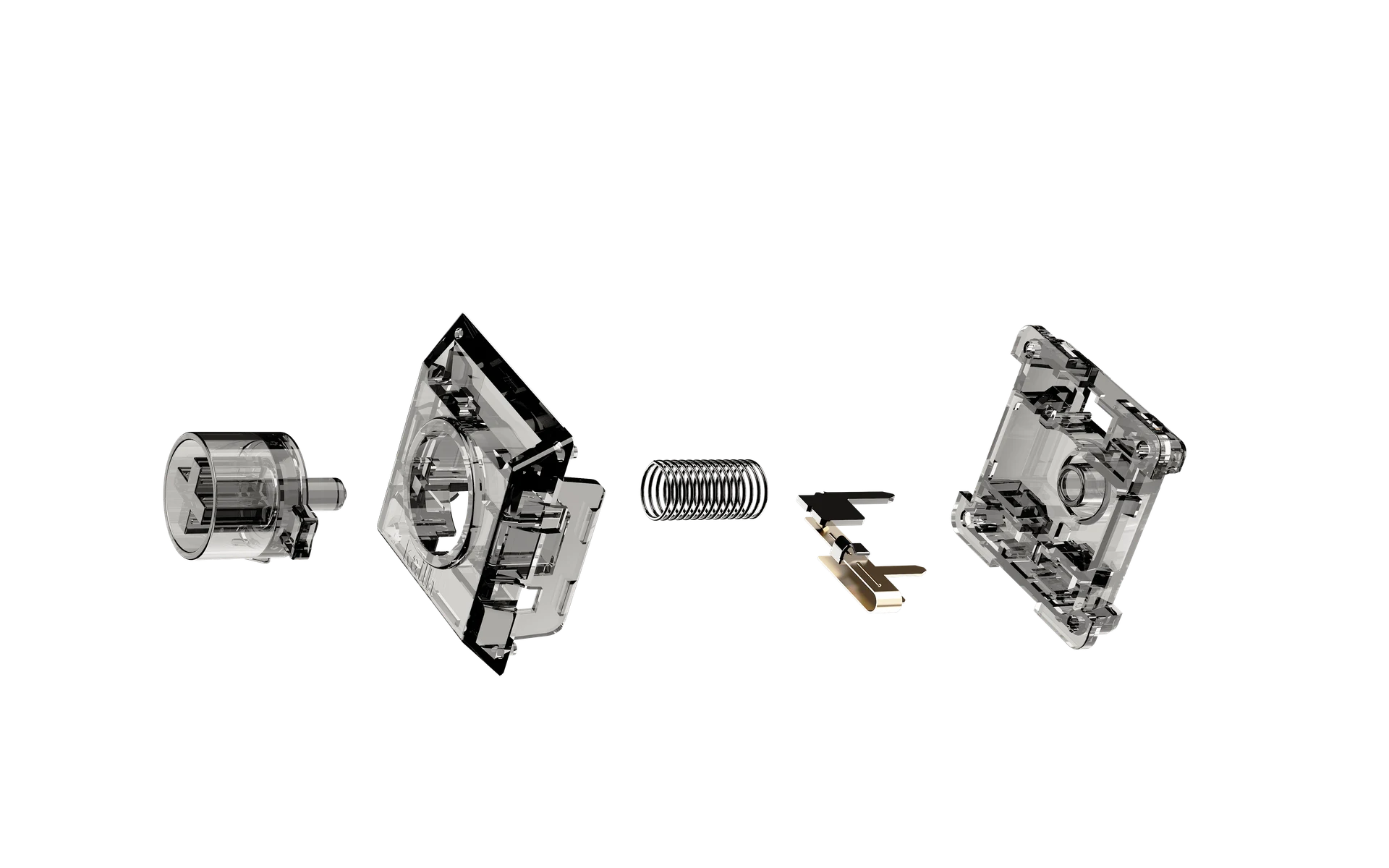
Lofree and Kailh co-developed the low-profile Echo linear. Its nominal operating force is 5 gf higher than the original Flow Lite’s stock linear. Lofree also enlarged the light-transmitting area at the top of the switch. The board is hot-swappable. A replacement still needs to match the board’s low-profile socket and keycap fit.
I liked the sound of the keystrokes themselves, but the high, metallic ping over that clean sound was my biggest disappointment. I recorded Echo, Surfer, and Void individually, outside the keyboard, to hear how much each switch rang on its own. Of the switches I recorded, Echo had by far the most noticeable ping. Surfer rang too, though less sharply, and the silent linear Void was quiet enough that I didn’t hear a comparable ring.
The difference made me wonder whether Lofree and Kailh made a cost trade-off on Echo to keep the Flow Lite 2 affordable as component costs rise. That’s my impression from the comparison. I don’t have their component costs or a teardown that identifies the source of the ping, so I can’t tell what caused it or whether cost influenced the switch design.
| Specification | Lofree’s specification sheet |
|---|---|
| Switch type | Linear, co-developed with Kailh |
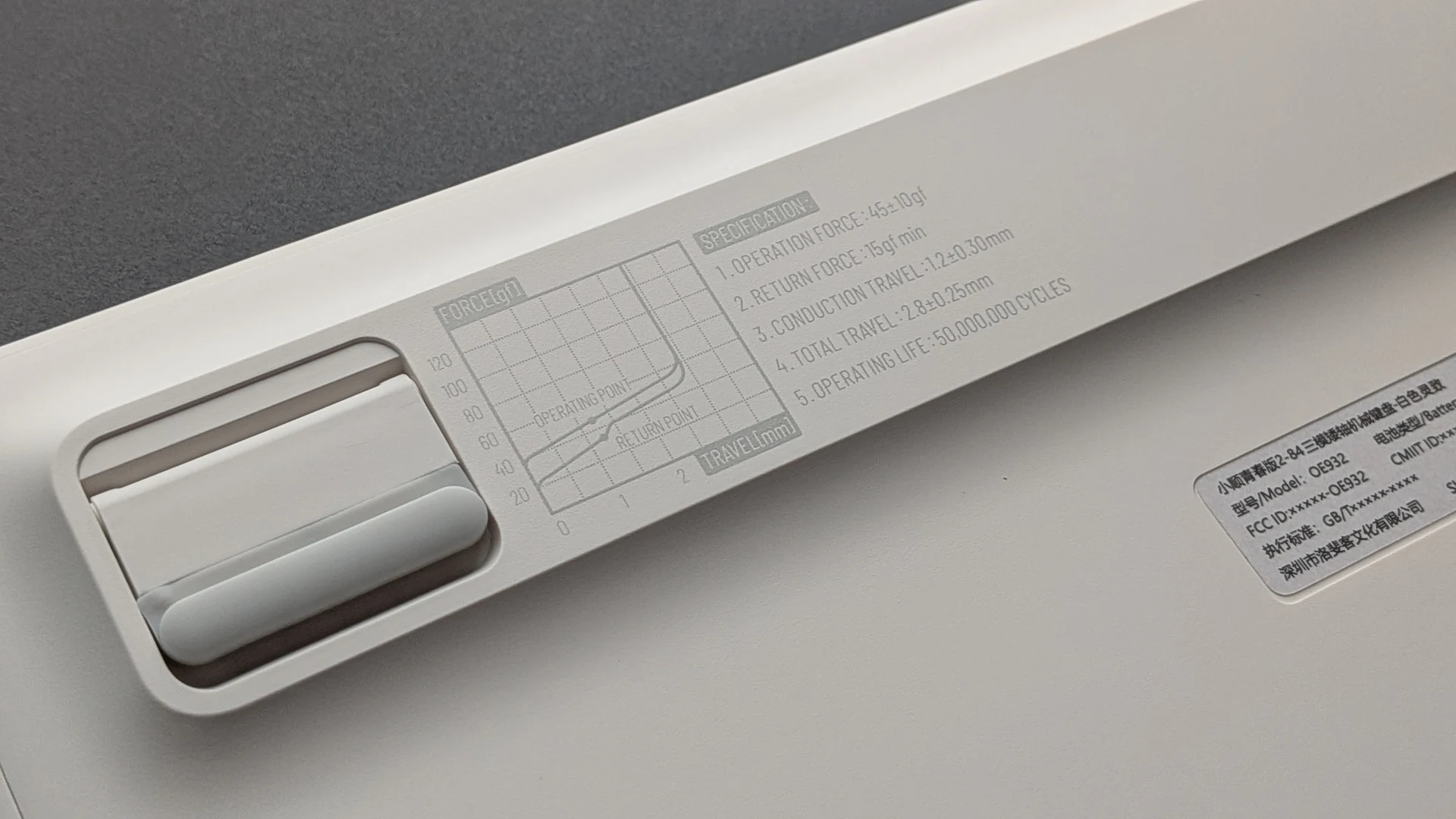
| Operating force | 45 ± 10 gf |
| Pre-travel | 1.2 ± 0.30 mm |
| Total travel | 2.8 ± 0.25 mm |
| Stem | POM |
| Top housing | Polycarbonate (PC) |
| Bottom housing | POM |
| Spring | Stainless steel |
Lofree’s component-level spec sheet and press release list a PC top. Some of its marketing copy describes the switch as full POM. The materials above follow the component-level specification.
Keebpedia typing sound test
The full video includes three assembled-board recordings: Flow Lite 2 84 with stock Echo switches, the same 84-key board with Void switches, and Flow Lite 2 100 with stock Echo switches. The two 84-key clips show what changed when I swapped the switches on the same keyboard.
With Void installed, the 84-key board was much quieter and easier for me to type on. I’d pay for Void if the Echo ping distracts you or you want a quieter board. Lofree’s Void switch listing shows US$59 for 106 switches, on top of the cost of the keyboard. If you like the stock sound or the ping doesn’t bother you, keep the Echo switches.
Case, backlight, and the volume roller
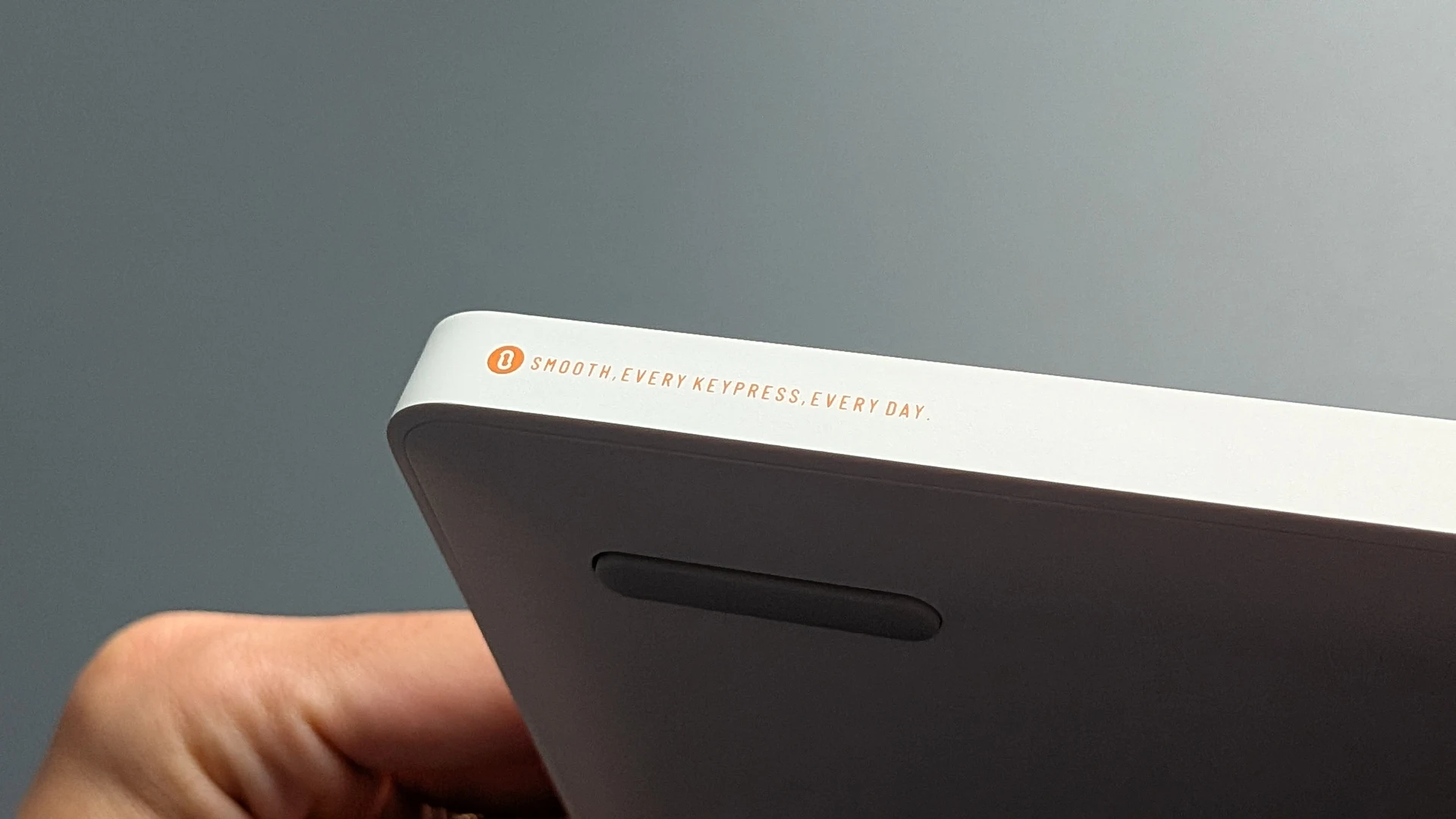
The simple shape works for me. The flatter ABS case has an understated recessed logo on top, and the white backlight complements it. The underside force curve and the extra Lofree printing along the side are details I would remove. The clean case is already one of the board’s strengths, and I don’t see what the markings add to using it.
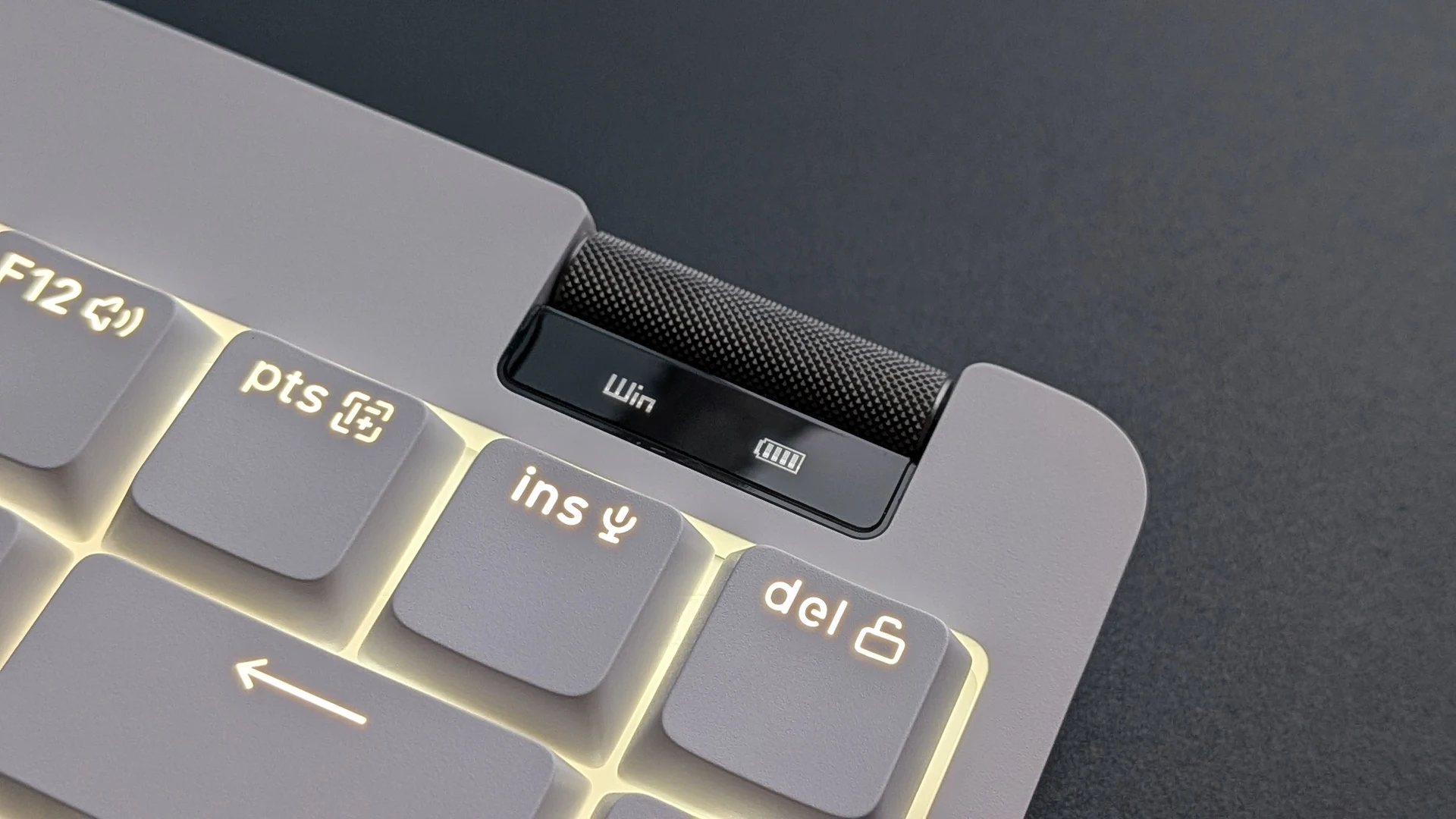
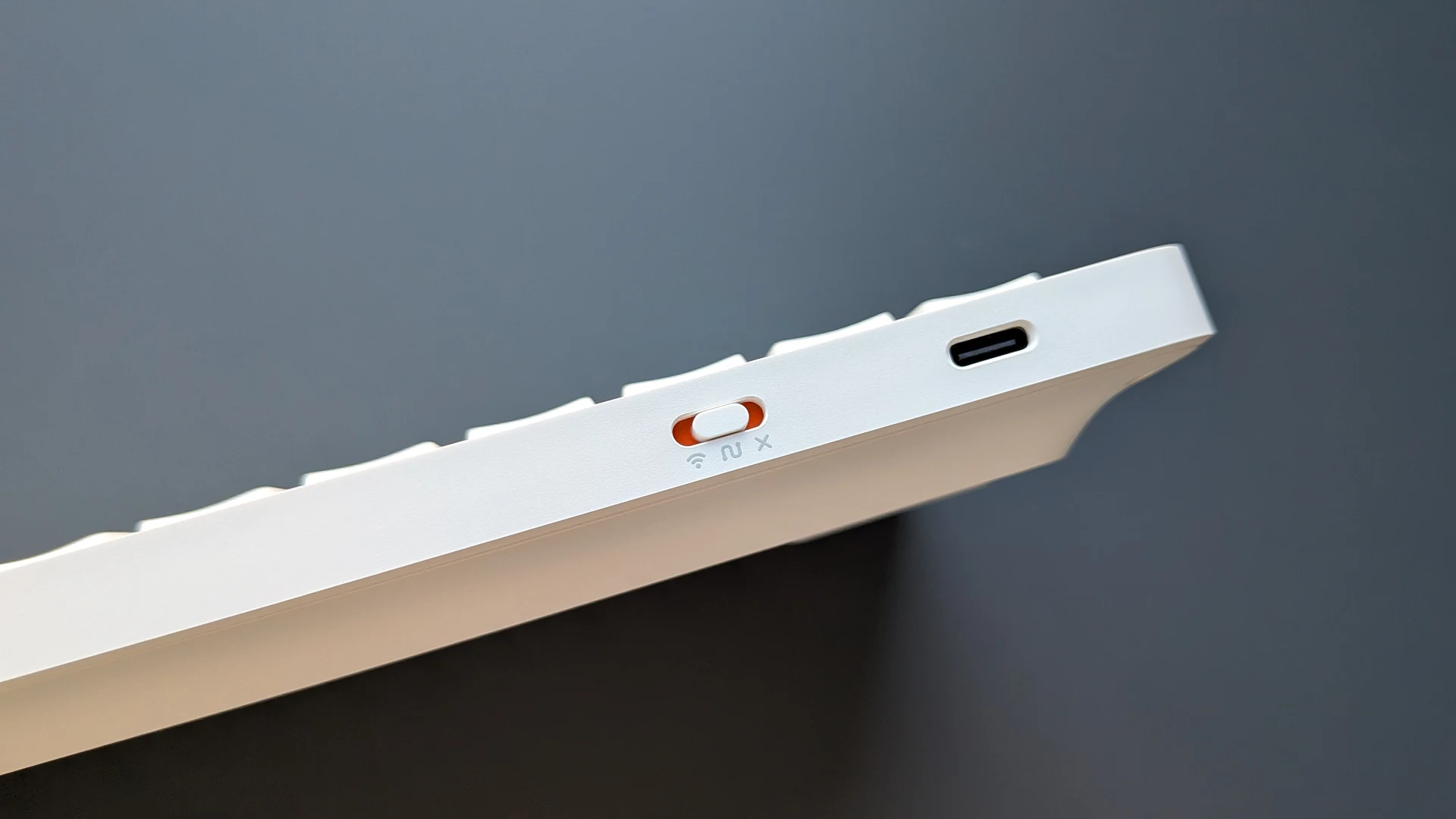
The knurled volume roller is easy to turn and gives a clear tactile step with each adjustment. That feedback is one of my favorite details. Below it, the display shows battery level, connection mode, and the Mac or Windows setting. The mode slider and USB-C port sit on the rear edge. Fold-out feet give the board a choice of 0° and 8°.
Lofree Hub, VIA and Mod-Tap
Lofree says Flow Lite 2 support for Lofree Hub is currently in development.
I tried assigning a Mod-Tap keycode using VIA’s Any option. The assigned key gave no response on my review unit. Mod-Tap lets you tap a key to send one input and hold it to send a modifier. That matters if your layout depends on home-row modifiers or other tap-hold keys. Lofree is checking the Mod-Tap issue internally.
84 and 100 keys, with regional layouts
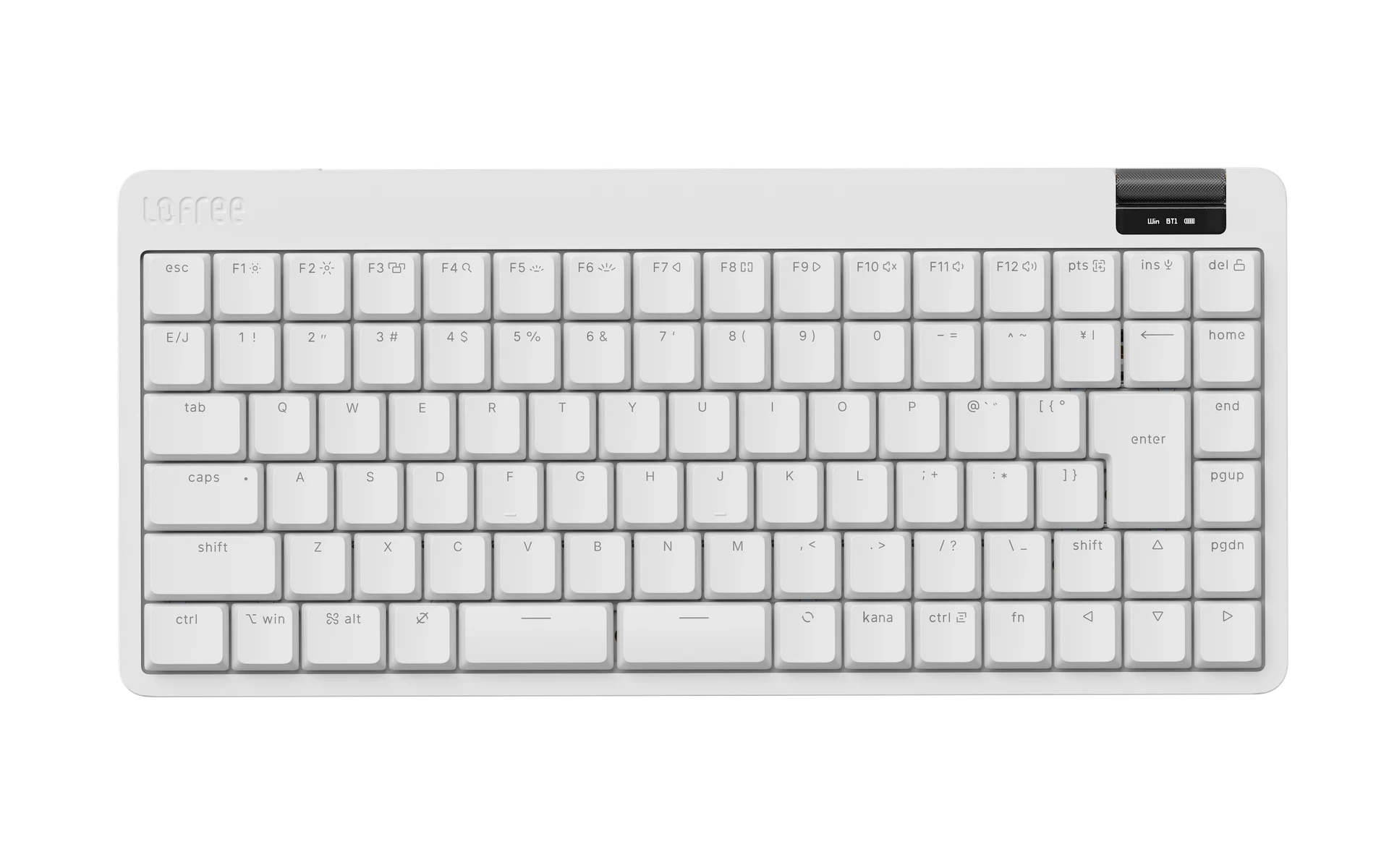
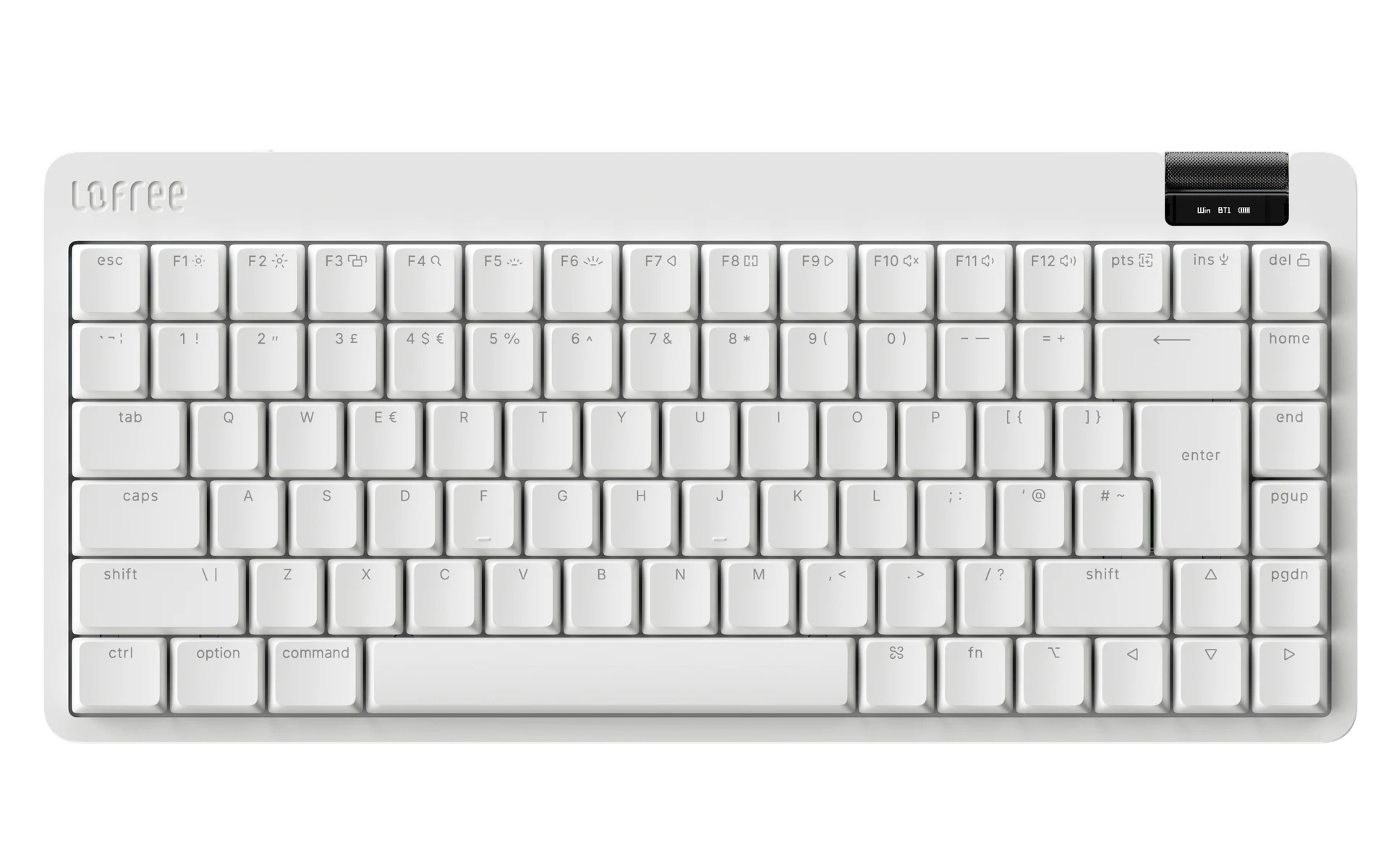
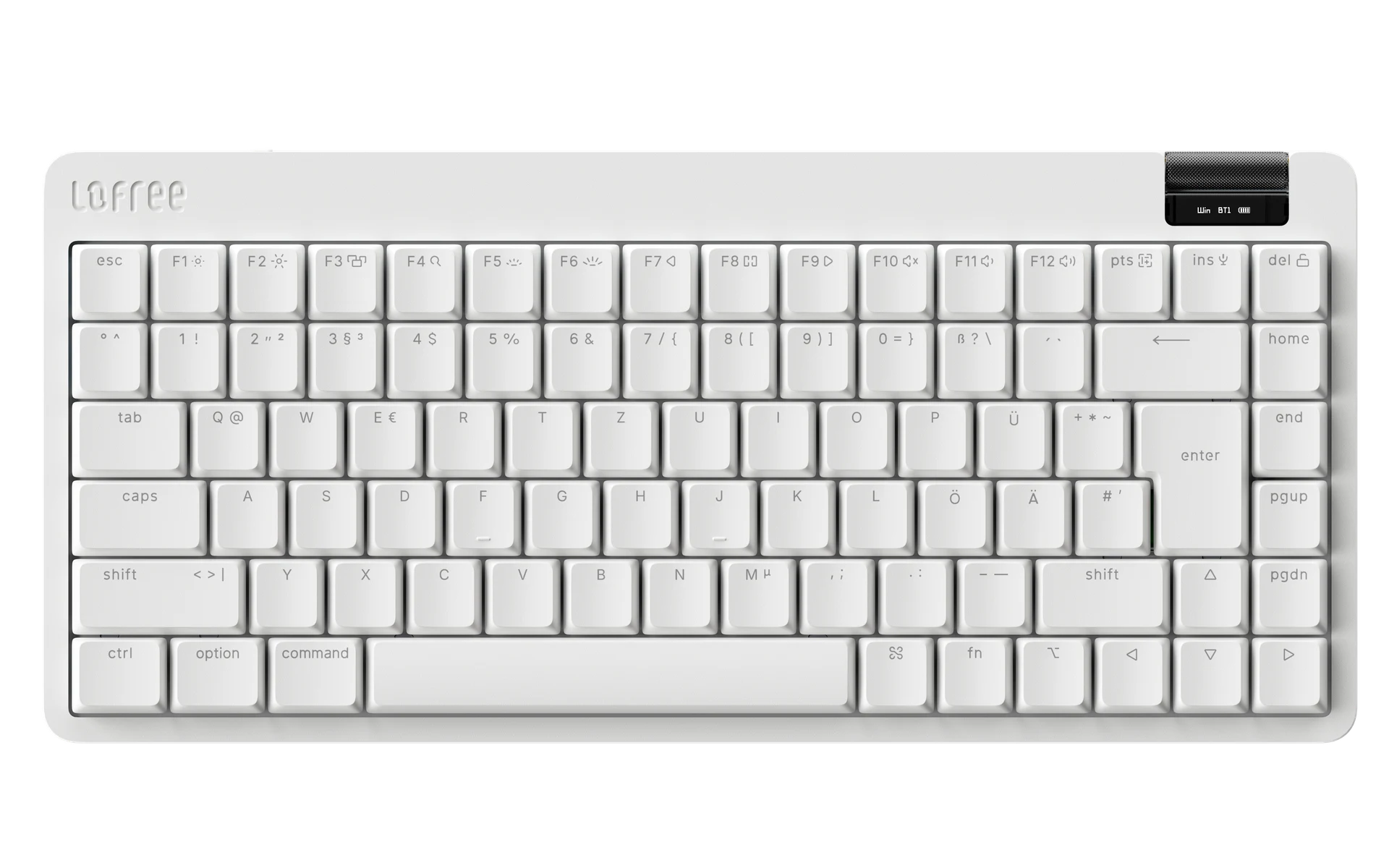
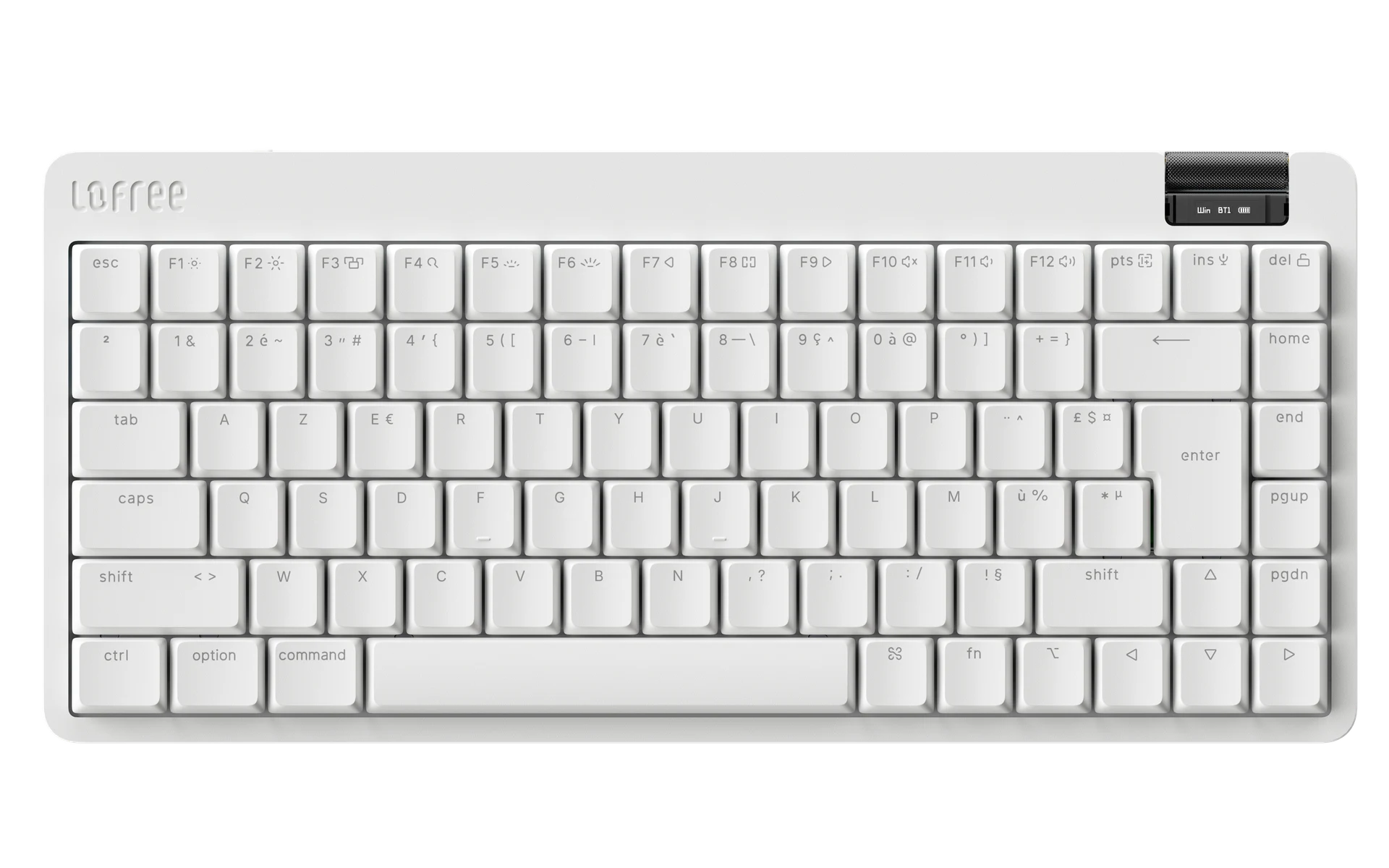
Both product pages list white and black cases and US ANSI, UK, German, French, and Japanese layout options. The white 84-key diagrams from Lofree show the differences in legends and key shapes. The Japanese JIS render shows a split spacebar and a Kana key. The UK, German QWERTZ, and French AZERTY renders show a tall Enter and a long left Shift with the regional symbol printed on it. Use the diagrams to check the physical arrangement if you expect a separate key beside the left Shift.
These diagrams show the 84-key version. The store labels the UK, German, and French options as ISO. Color and layout availability depend on the selected variant.
Keyboard specifications and battery
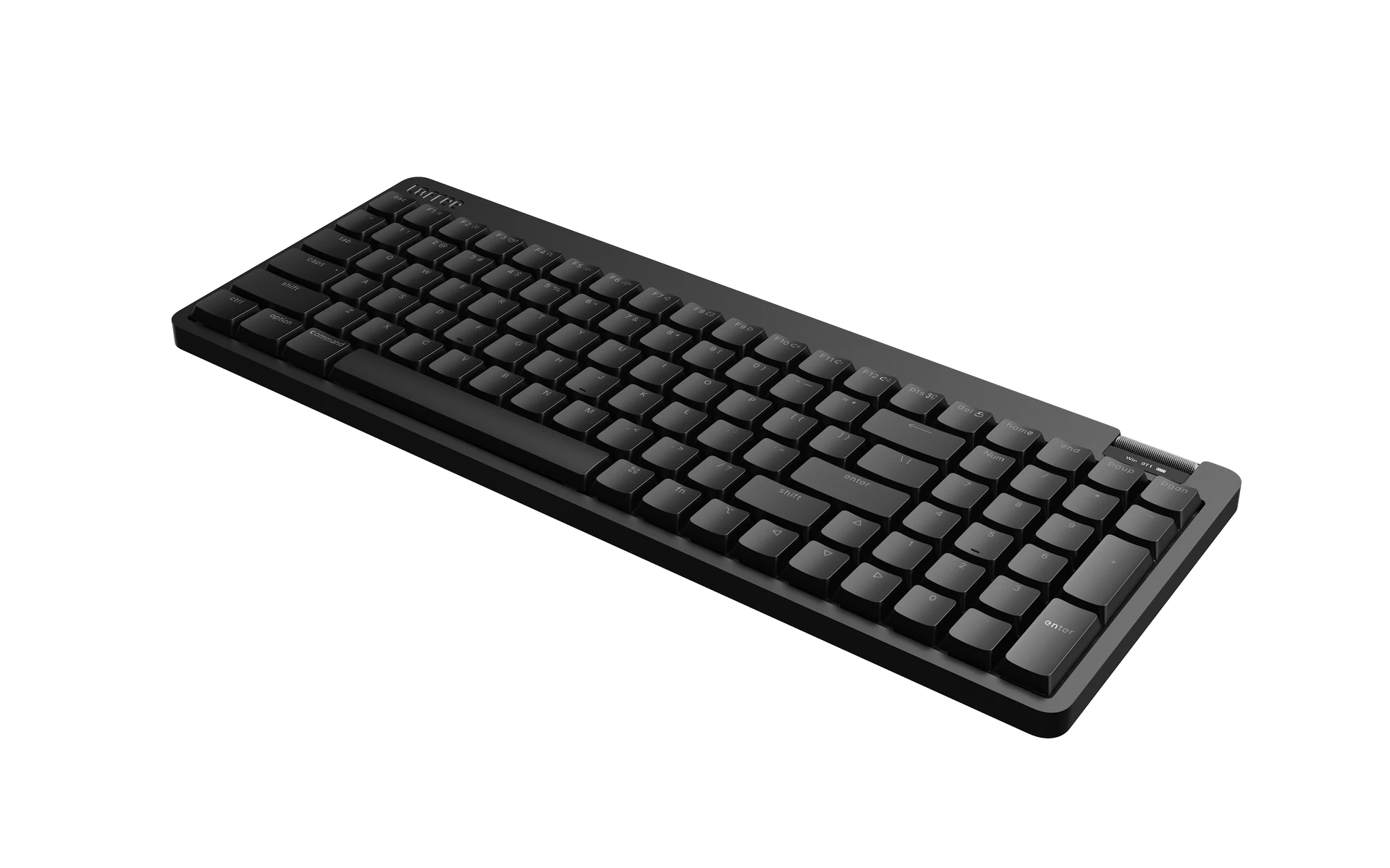
The 84-key battery gains 1,000 mAh over the original. Lofree rates the Flow Lite 2 for up to 100 hours over Bluetooth with the backlight off and lists 3–4 hours for USB-C charging. It also lists up to 1,000 Hz polling in USB-C wired and 2.4 GHz modes, and a 10 m wireless range.
| Specification | 84 keys (75%) | 100 keys (96%) |
|---|---|---|
| Dimensions, official store | 317 × 142.5 × 22 mm | 374 × 142.5 × 22 mm |
| Weight | 536 g | 625 g |
| Battery | 3,000 mAh | 3,000 mAh |
| Case and mount | ABS, gasket mount | ABS, gasket mount |
| Stock switches | Hot-swappable Kailh Echo linears | Hot-swappable Kailh Echo linears |
| Backlight | White, shine-through legends | White, shine-through legends |
| Connectivity | USB-C, 2.4 GHz, Bluetooth 5.3 | USB-C, 2.4 GHz, Bluetooth 5.3 |
| Polling rate, USB-C and 2.4 GHz | Up to 1,000 Hz | Up to 1,000 Hz |
| Typing angle | 0° or 8° | 0° or 8° |
| Configuration | VIA. Lofree Hub support in development. | VIA. Lofree Hub support in development. |
| Listed OS compatibility | Windows, macOS, iOS, iPadOS, Android | Windows, macOS, iOS, iPadOS, Android |
Lofree’s supplied specifications list 316.8 × 138 × 23.5 mm for the 84-key model and 374.5 × 138 × 23.5 mm for the 100-key model. Its Flow Series workbook lists Bluetooth 5.4 for the Flow Lite 2. The table follows the official store’s dimensions and Bluetooth 5.3 listing. We did not independently measure the case or verify the Bluetooth version.
Price, Black Friday, and shipping
Lofree’s October 28 announcement lists the 84-key model at US$109 and the 100-key at US$119. Its press release advertises 20% off both sizes from November 1 through 30, 2026. Lofree’s 84-key store page and Lofree’s 100-key store page list the regular prices and say shipping starts December 1, 2026, in order of purchase, with VIP orders given priority.
The Smooth Pass pricing is for people who previously paid the US$2 non-refundable reservation fee. Lofree’s published terms allow existing holders to use their code for up to five keyboards through December 31, 2026, at 11:59 p.m. Pacific Time. The code cannot be combined with other discounts. Keebpedia’s Black Friday tracker also lists Lofree’s wider sale terms.
| Offer | 84 keys | 100 keys |
|---|---|---|
| List price | US$109 | US$119 |
| Announced November Black Friday price | US$87.20 | US$95.20 |
| Existing Smooth Pass code holders | US$69 | US$79 |
Black Friday pricing is from Lofree’s press release. The store’s displayed price and final checkout total can differ. The VIP row excludes the reservation fee already paid.
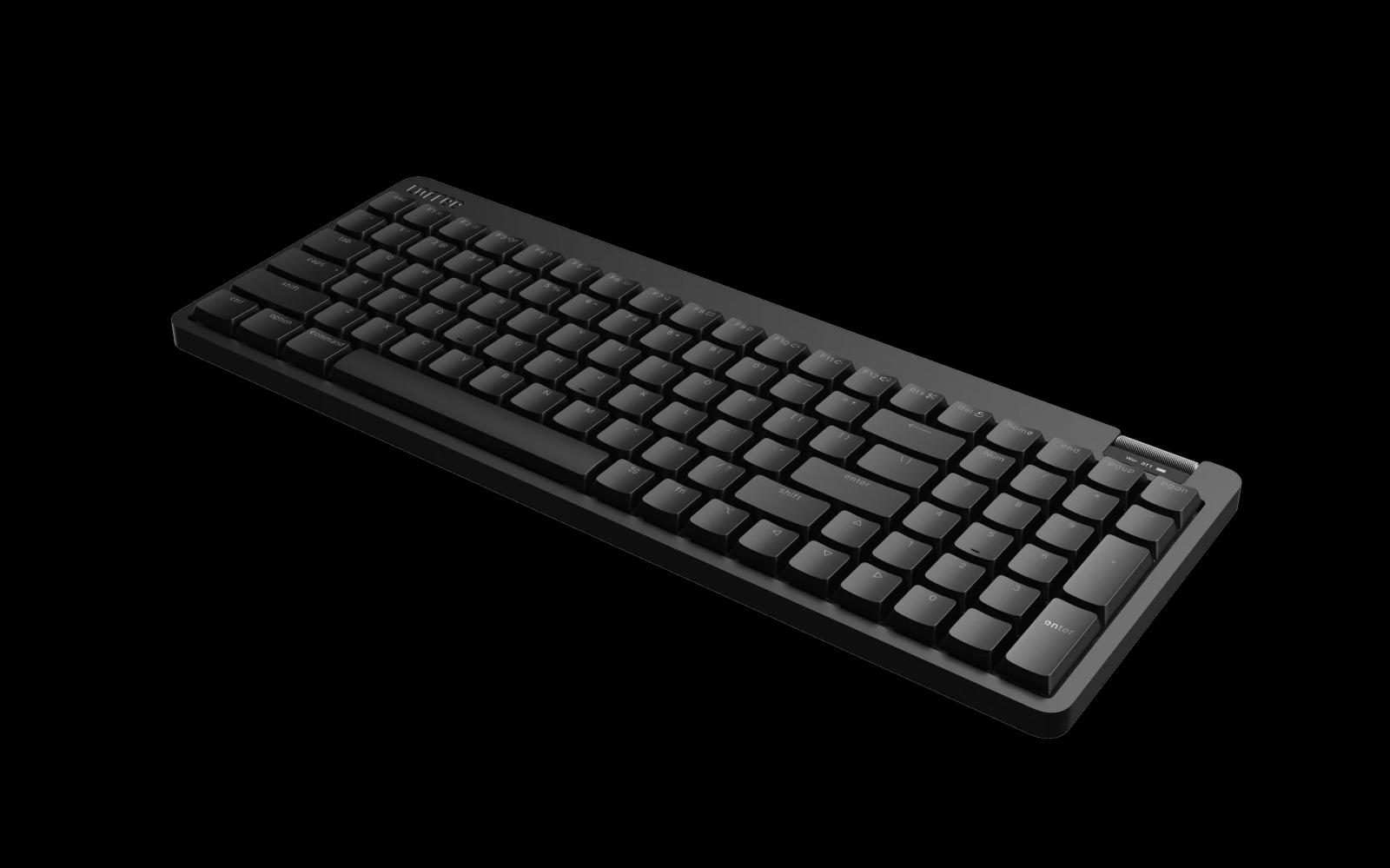 Render by Lofree
Would I upgrade from the Flow Lite?
The wider key tops and softer typing feel are the most persuasive changes if you already own a Flow Lite. The sharper roller steps, status display, and larger battery on the 84-key model make the case stronger if you switch connections often or use the board wirelessly. I like the clean design and lighting enough that I would happily keep the board on my desk.
The stock Echo ping is the main reason I’d hesitate. If I were keeping the Flow Lite 2 on my desk, I’d choose Void for the quieter sound and the typing feel I preferred. I’d also factor in the extra switch cost and the failed Mod-Tap assignment, which matters for my layout. If the original Flow Lite already feels good under your fingers, I wouldn’t rush to replace it.