What Is a Full-Size Mechanical Keyboard? Is the Numpad Worth the Extra Width?
A full-size keyboard puts the numpad within reach, then asks your mouse hand to go farther. I compare two NuPhy Node100 layouts, share how the larger Node sounds, and show how much space three desk setups take.
1. What is a full-size mechanical keyboard?
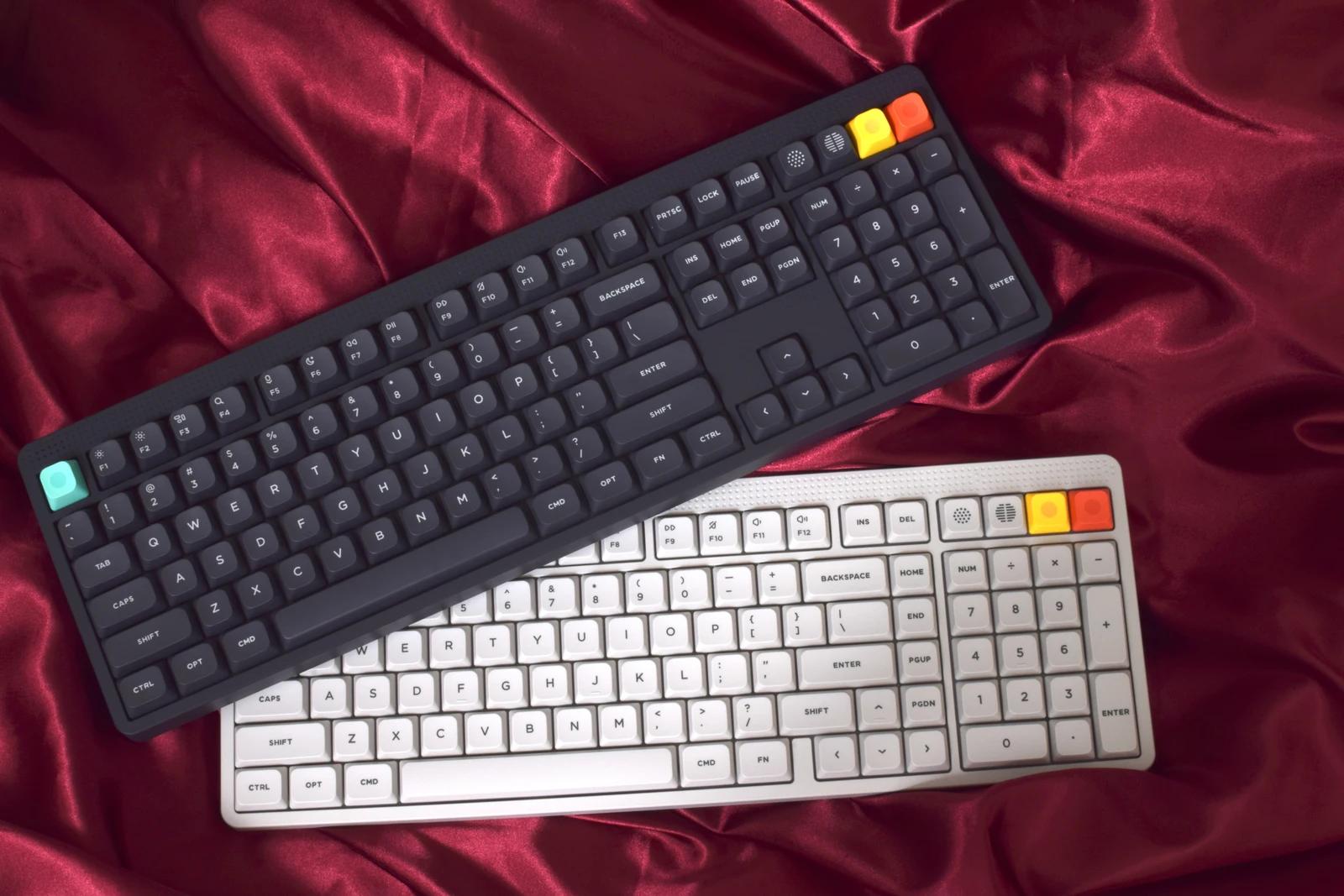
A traditional full-size mechanical keyboard gives you a function row, a separate arrow cluster, six navigation keys, and a dedicated number pad to the right of the typing area. The familiar US ANSI version has 104 keys. Regional layouts and models with extra controls can have different counts. The easiest way to recognize the traditional layout is to find the two rows of navigation keys above the arrows, with the number pad in its own block beside them.
If you already use a traditional TKL, the full-size layout gives you a numpad while keeping the navigation keys where your hand expects them. That matters when you work through a spreadsheet, key in a batch of invoices, or use shortcuts that specifically call for numpad keys. For a few numbers in an email, the number row may do everything you need. The question is how often your right hand would actually spend time on that extra block.
2. Two Node100s, two different layouts
Look at the space between the main Enter key and the numpad in my two Node100s. On the black High-profile model, Insert, Home, and Page Up sit above Delete, End, and Page Down. The arrows form a separate inverted T below them. That is the traditional arrangement. On the white Low-profile model, Insert and Delete move up beside the function row. Home, End, Page Up, and Page Down run down a single column between the main typing area and the numpad.
NuPhy calls both US layouts ANSI 100%. Its published specs give the High-profile model 109 keys and a width of 441.8 mm, and the Low-profile model 103 keys and a width of 398.6 mm. The slimmer model saves 43.2 mm of width and still gives you a double-width numpad 0 and tall numpad Enter. That can be a good trade if you enter numbers by touch and are comfortable relearning where Home and Delete sit.
Try to picture an actual shortcut. On the black board, you can find Delete by moving down from Insert. On the white board, those two keys are neighbors on the same row. If you often move to the start of a line or jump a page while editing, look at those keys separately. They are all present on both boards, but the hand movement you have practiced may change.
This is a choice NuPhy made for these two versions. Thin keys can also come with the traditional, separate navigation block, as the Keychron K5 Max shows. When you shop, use a top-down photo or the manual for the exact profile and regional layout you are ordering. Check the keys you reach for without looking: Insert and Delete, Home and End, the page keys, and the numpad 0. If you use shortcuts from the right side of the spacebar, check the modifiers there too.
3. What a larger case can sound like
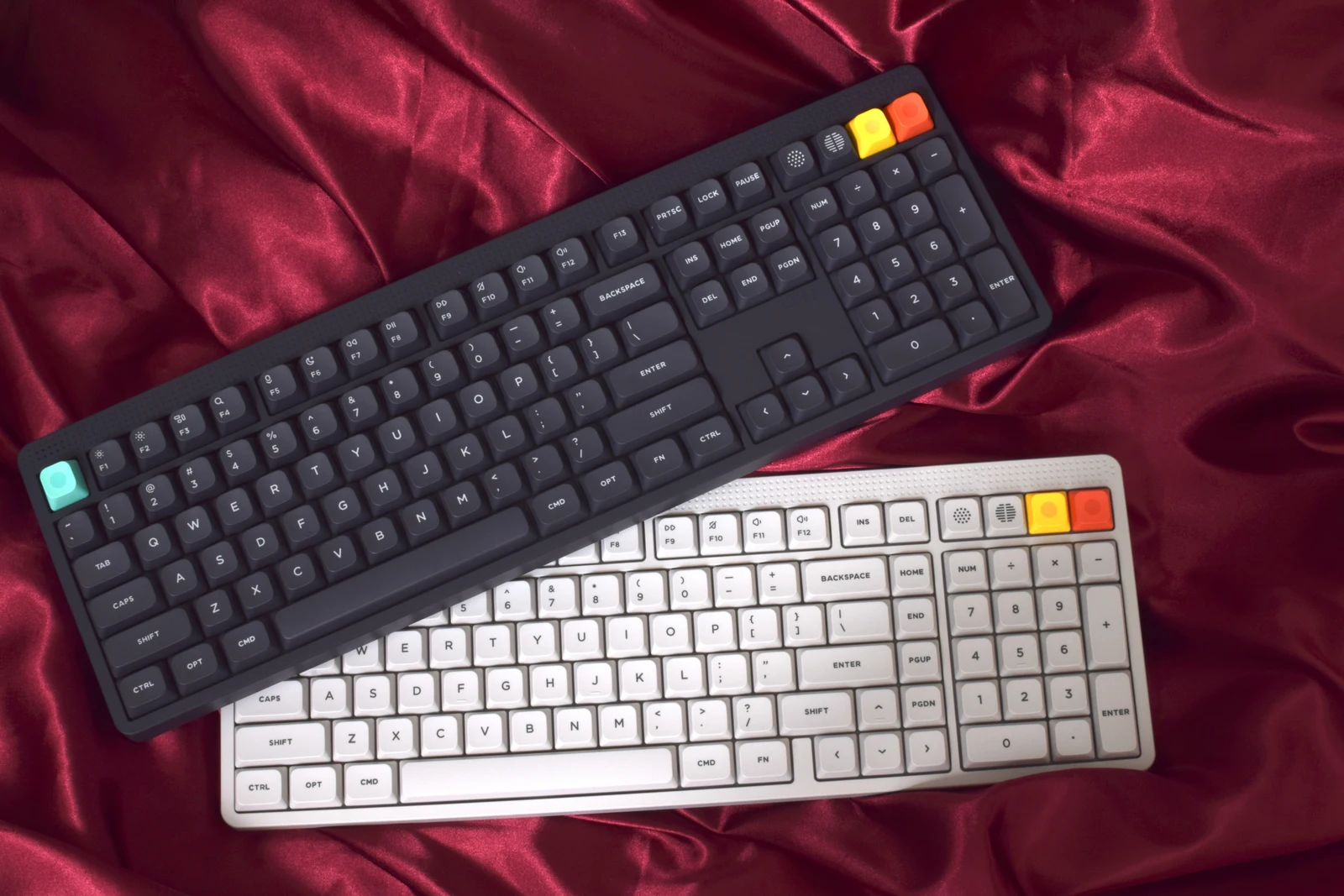
The sound is the part of full-size that I enjoy most. On the larger boards I’ve typed on, including the Node100, I often hear a fuller sound than I do from my smaller boards, including TKLs. I hear the initial strike, then a little more body behind it. That is what I mean by fuller. Listen to the letter keys first and then to the spacebar, which has a different character of its own.
The recording below compares the Node100 and Node75. In the silent-switch comparison, the Node100 still has a more distinct resonance to my ear. I also like the rich sound of my TGR Jane V2 ME TKL. The TKL guide has separate recordings of that board across three plates, so you can hear how much the sound can vary within one layout.
The space inside a case can contribute to what you hear, alongside the case material, plate, mount, foam, and switches. Two housings with the same outer width can have different amounts of open space inside. The Node recording captures two sizes in the same family, and the Jane recording lets you hear what changes when the plate changes. Both are good ways to decide what kind of sound you like before choosing a keyboard size for it.
4. How far do you reach for the mouse?
At my desk, I line up the typing area with my body. With a full-size board and a regular mouse on the right, I have to reach around the numpad every time I go back to the pointer. After enough trips between typing and clicking, my shoulder gets tired. I like how a large keyboard sounds, but that reach makes full-size hard for me to use every day.
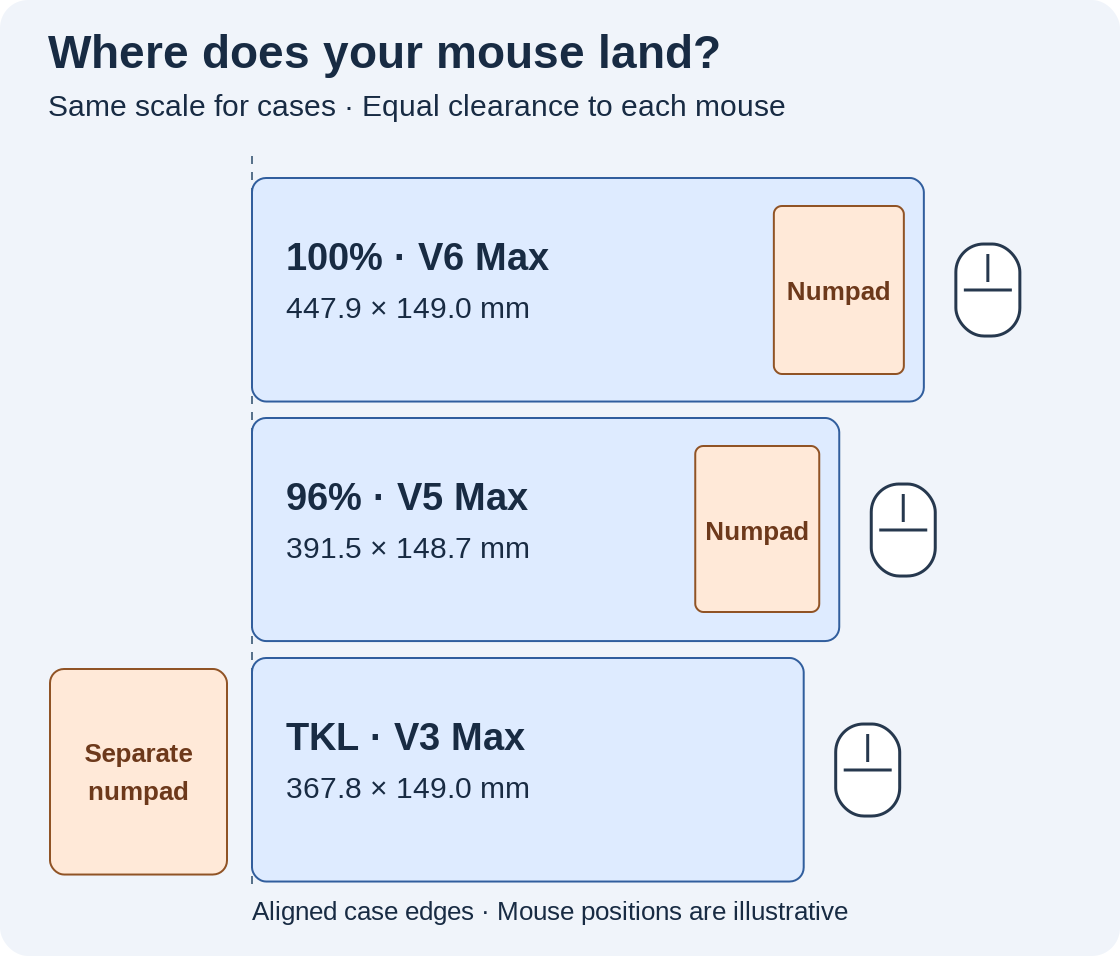
In the diagram, the three keyboard cases share a left edge as a reference for the typing area. The mouse has the same illustrative clearance from each right edge. The full-size V6 Max case extends 80.1 mm farther right than the V3 Max TKL. The 96% V5 Max puts the mouse in between. Your actual starting position and mouse placement will vary, but those outlines give you something measurable to try at your desk.
Before buying, mark the candidate keyboard’s right edge with a strip of paper while keeping your letter keys in their usual position. Put your mouse beyond the mark. Switch between typing and pointing the way you normally would, and notice whether your elbow stays near your side or your shoulder has to reach outward. OSHA advises keeping the pointing device close. A lab comparison also found a more neutral shoulder posture when the mouse could sit closer on a keyboard without a numpad.
A stationary trackball needs no space for sweeping motions. If you can place it nearer your body or in front of the keyboard, that gives you another setup to try. A trackball sitting beyond the same far edge still requires the initial reach. With a separate numpad, you can place it on the left or bring it out for number-heavy sessions and put it away afterward.
5. Is a built-in numpad worth it?
If your work regularly sends you through columns of numbers and you use all six navigation keys by touch, a traditional full-size layout earns its space. If you use the numpad daily and can adapt to different navigation positions, a compact 96% or 1800-style layout is worth a look. Check its exact key arrangement before ordering, especially if you hit numpad 0 with your thumb or rely on a dedicated Delete.
If number entry comes in batches, a TKL and a separate numpad let you keep the familiar navigation cluster and decide where the number keys go. I start with where I want my mouse during an ordinary workday. Then I choose the layout that gives me the keys I need within that space.
One way to decide is to count how often you switch between numbers and the mouse in a typical hour. A fixed pad makes sense when your hand can stay there for long stretches. If you bounce between typing, a few figures, and clicking, the shorter reach may matter on almost every task.