ElimKeys Elytra Review — A Wireless Split That Feels Familiar
The Elytra keeps the familiar stagger of a conventional keyboard in two slim, wireless halves. Here’s what made it easy to switch, what I remapped in Vial, and why I’d choose the silent switches.
What is the ElimKeys Elytra?
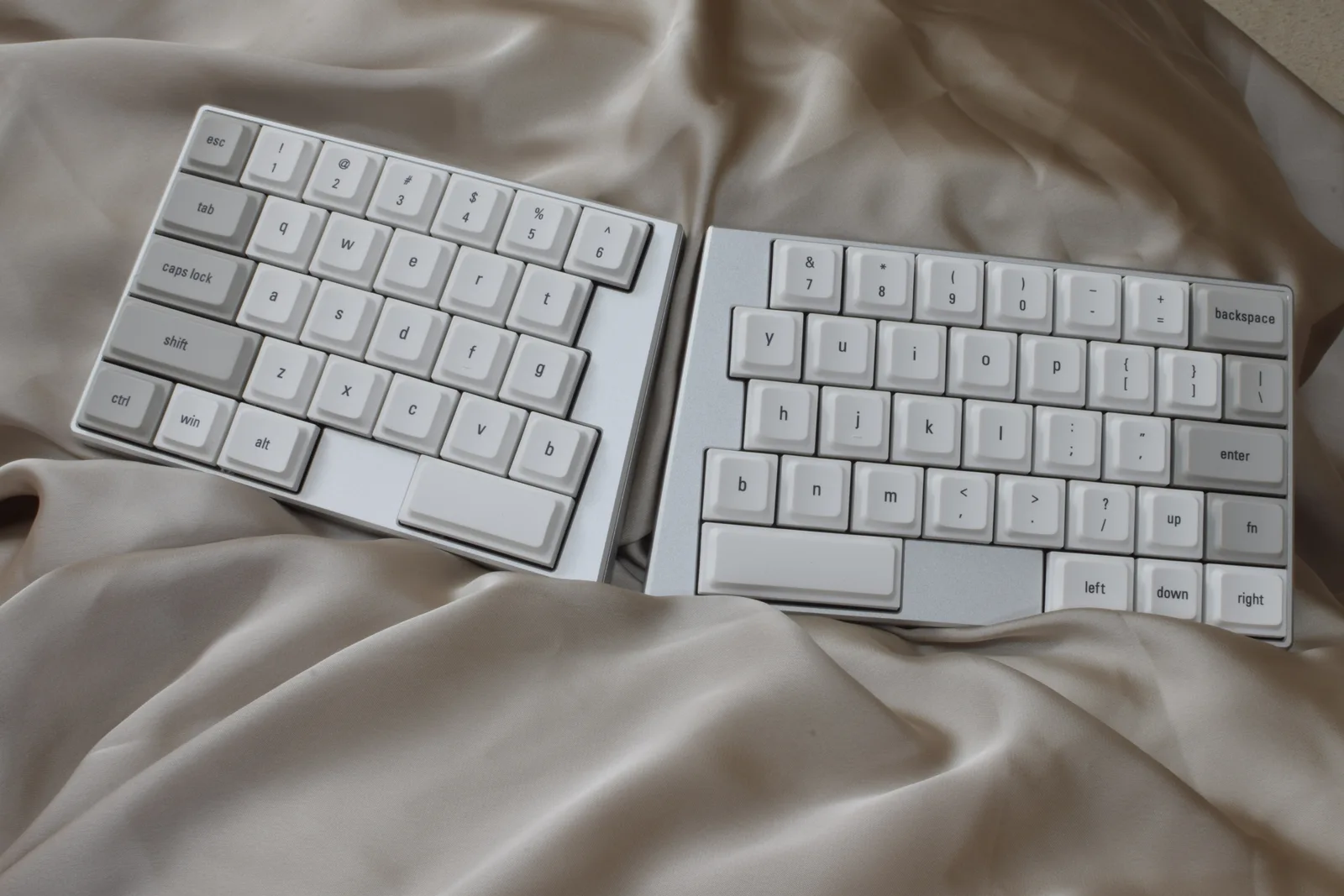
The Elytra is a 63-key, low-profile mechanical keyboard with two wireless halves. Slide them together and the magnets hold them side by side. Separate them and you can set the distance and angle for each hand without a cable between them. I liked being able to change the setup without changing keyboards.
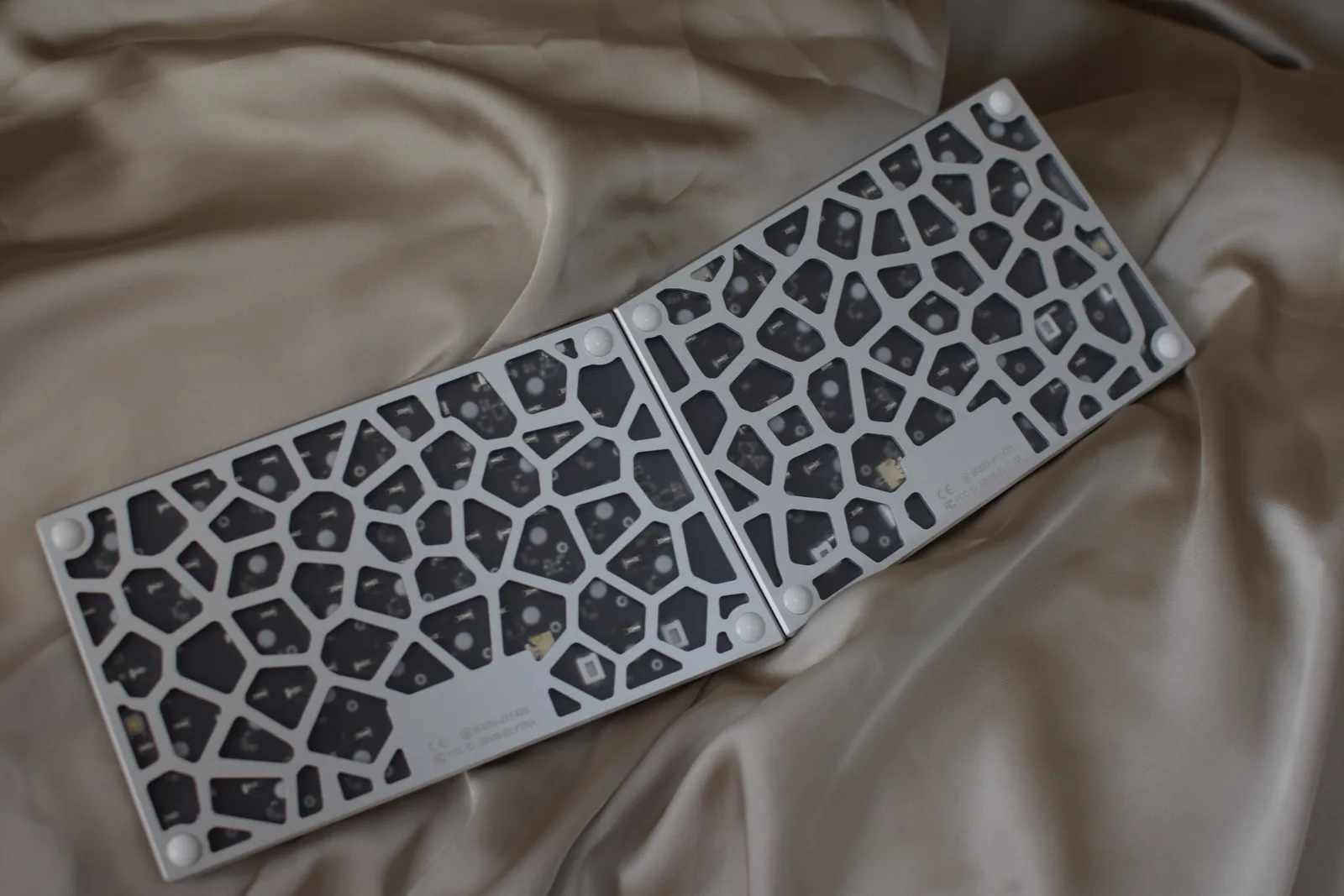
The CNC aluminum case has a lattice underneath that lets you see parts of the PCB. ElimKeys lists the keyboard at about 440 g and 11.8 mm thick without the keycaps. The tray-mounted build uses an FR4 plate and a 1.2 mm PCB. It felt firm in use, and the board sat low enough that I was comfortable typing without the optional palm rests.
The familiar rows made the switch easier
I’ve made plenty of mistakes switching to column-staggered splits. On the Elytra, the rows are offset the way they are on a conventional keyboard, so most of my usual finger movements carried over. I could start typing without spending much time relearning where the letters were.
A few keys still deserve a look before you order. The 6 is on the left, B is on both halves, and the right half has dedicated arrows. I barely missed right Shift because I rarely use it. The full-width Backspace bothered me more. I normally use a split Backspace and kept reaching for a key that wasn’t there.
The dye-sublimated PBT keycaps use LAK profile, with a raised, gently scooped top. I liked how easily my fingertips found the center, even with such a shallow profile.

How I set up Bluetooth and Vial
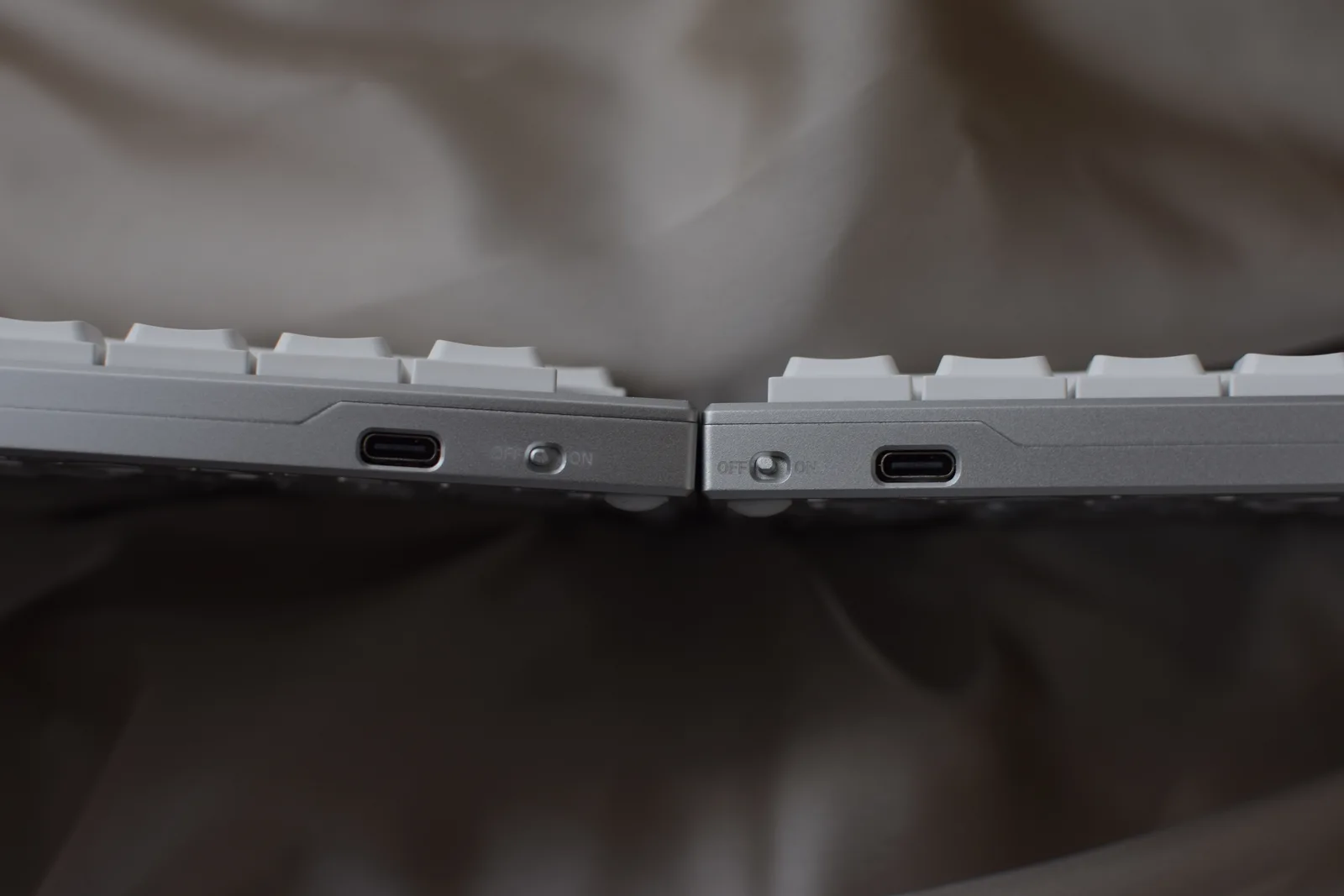
I mainly used Bluetooth, which lets the Elytra remember up to three devices. Both halves have a power switch and a USB-C port. For USB data or a wired Vial connection, plug into the left half. The right port is for charging. ElimKeys also documents 2.4 GHz support with its optional dongle and firmware v1.5. My wireless impressions here come from Bluetooth use.
With the halves joined, I could set the Elytra over my laptop’s keyboard and keep the trackpad within thumb reach. At my desk I also used it split with a separate trackball.
Vial made that second setup more practical. I mapped Enter to the left half on a second layer, so I could confirm something without taking my right hand off the trackball. I also put arrows on a left-hand layer and left both B keys as B. The two spacebars give you another place to put layer access under a thumb.
Typing sound — JZF Mist vs. CloudShell White
ElimKeys offers JZF Mist silent linears and CloudShell White standard linears. The official specs give both 2.8 mm of total travel, with nominal operating forces of 37 gf and 40 gf, respectively. Both felt light to me. The bigger difference was the sound.
CloudShell White gave the Elytra a light, sharp tap that sounded a little thin to me. JZF Mist took the edge off, and I kept coming back to it for daily typing. If you want to hear how much of a difference the switch makes, the recording below lets you compare both options on the Elytra.
What you get and what costs extra
The board has status lights, with no RGB backlighting or built-in trackball. The fitted travel case and palm rests are separate purchases. I was surprised by how snugly the travel case held both halves, though the keyboard is slim enough to carry in a sleeve you already own.
Tenting hardware is also separate. ElimKeys documents a kit that raises the inner edges by 6° or 10°. If you already know you prefer to type tented, check availability and factor the kit into the total price.
Verdict
At a US$249 list price, I’d choose the Elytra if I wanted a split keyboard that I could start using with familiar finger positions. The wireless halves and magnetic join let me move between a wider desk setup and a compact one, and Vial let me fix the shortcuts that mattered to me.
I’d order it with JZF Mist for a quieter setup. Check whether the full-width Backspace and lack of right Shift suit the way you type, and include the cost of tenting hardware if you use it.